
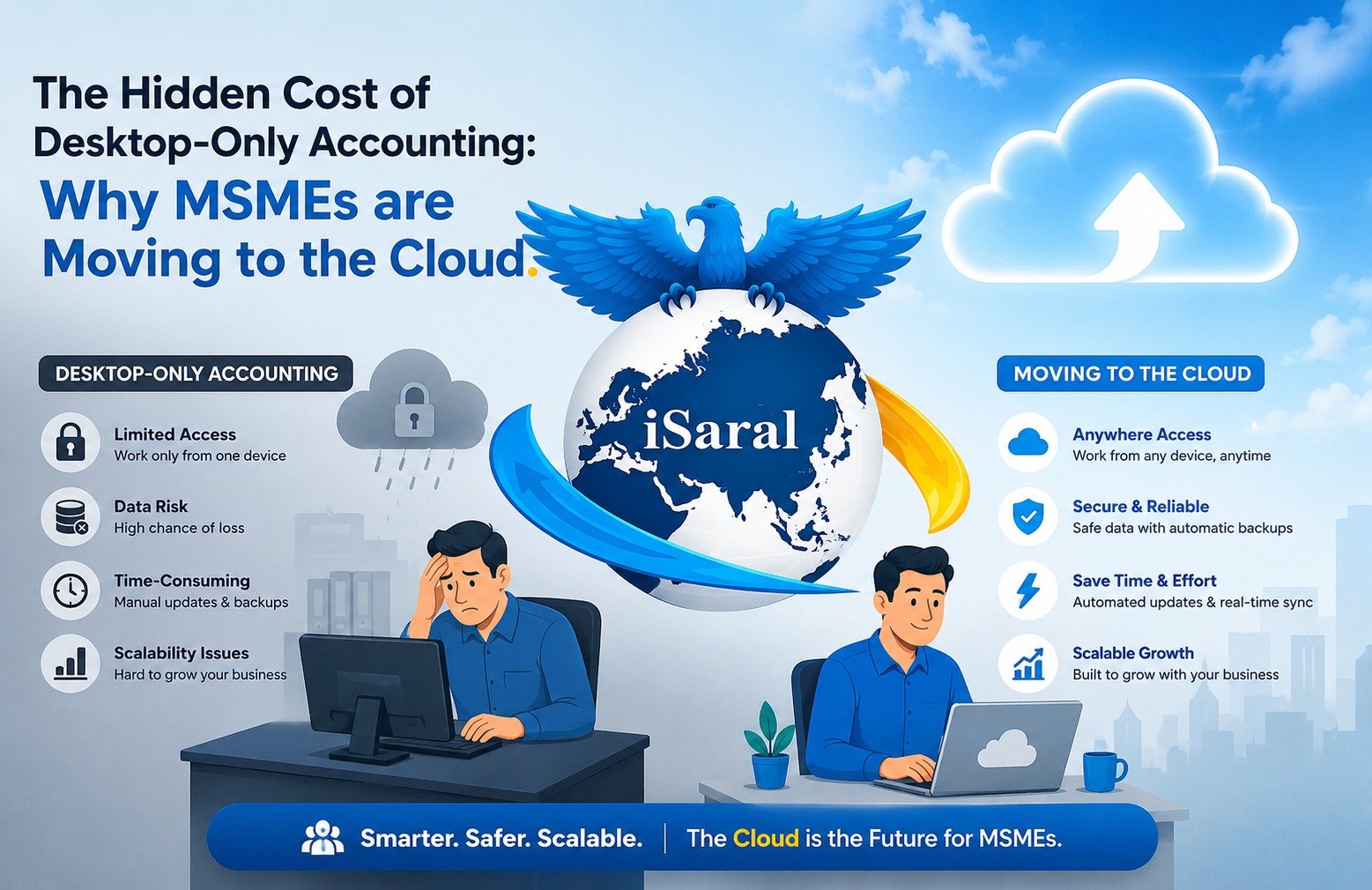
If you're a small or mid-sized business owner still relying on desktop accounting software, you're probably not thinking about what it's quietly draining from your business every month. Not just money — but time, productivity, and the kind of financial control that helps you make fast, confident decisions.
This guide is for MSME owners, finance managers, and business operators who've been putting off the switch to cloud accounting — either because it feels unnecessary, too disruptive, or too expensive. By the end, you'll have a clear picture of whether your current system is working for you — or quietly working against you.
The inefficiencies of desktop accounting are rarely dramatic — they are quiet, repetitive, and easy to overlook until you start measuring them. But compounded across a full working month, small friction points accumulate into a staggering figure: 20+ lost hours per month in finance and accounting productivity.
The Real Price Tag of Desktop Accounting Software
How Small Inefficiencies Add Up to 20 Lost Hours Every Month
On the surface, desktop accounting software appears to be a straightforward, cost-effective tool. But when you look closely at how your finance team actually spends their time, a very different picture emerges.
Consider the everyday tasks that chip away at productive work hours. Each of these friction points may only cost 20 to 30 minutes on any given day — but compounded across a full working month, especially in a multi-branch or growing business, the damage is significant.
Manual Data Transfers Between Departments
Every time data moves between spreadsheets, branches, or systems manually, there's an opportunity for error — and a guaranteed cost in staff time.
Access Bottlenecks
When only one person or machine can work on the system at a time, your entire team is forced to queue — creating delays that ripple across every department.
Delayed Reporting
Waiting for data to be compiled and shared manually means management is always operating on yesterday's numbers — never today's reality.
IT Downtime & System Disruptions
Software glitches, slow machines, and manual update installations interrupt work mid-process — costing hours that never appear on a software invoice.
The Hard Financial Cost of Lost Accounting Time
Putting a Real Number on the Productivity Drain
Once you understand where the hours go, the next step is to attach a real financial figure to that loss — because time in business is never truly free.
Take a practical example: a finance officer earning KES 120,000 per month. A 20-hour monthly loss represents approximately 12.5% of their total working time. Scaled across a full year, that single employee alone accounts for a productivity loss equivalent to more than one complete working month — essentially paying a full month's salary for zero output.
But the financial damage does not stop there. That figure only captures the direct cost of one employee's lost time. The compounding costs go much deeper.
| Hidden Financial Cost | Description |
|---|---|
| Management Time | Senior staff waiting on delayed reports before making decisions |
| External Consultant Fees | Costs incurred to fix data entry errors or reconcile corrupted records |
| Opportunity Cost | Revenue or savings lost because financial data arrived too late to act on |
| Recovery Time | Hours — sometimes days — lost reconstructing records after system failures |
| Audit Risk | Compliance penalties and professional fees driven by inconsistent record-keeping |
Hidden Risks: Data Loss, IT Downtime & Single-Machine Dependency
The Risks That Strike Without Warning
Beyond the measurable cost of lost hours, desktop accounting systems carry a category of risk that is far more dangerous precisely because it strikes without warning: data vulnerability.
Desktop systems are inherently dependent on physical infrastructure — a single machine, a local server, or an internal network. This creates several compounding risk factors that grow as your business scales.
- System crashes and corrupted files that can render months of financial records inaccessible
- Failed or inconsistent backups that leave businesses with no reliable recovery point
- Single-machine dependency — if one computer fails, accounting operations grind to a halt
- Recovery time costs where hours or days are lost attempting to restore lost data
In many MSME setups, backups are either manual, infrequent, or dependent on a staff member remembering to run them. This inconsistency dramatically increases the risk of permanent data loss in the event of hardware failure, theft, or even a power surge.
Move to TallyPrime Cloud
Join thousands of MSMEs that have eliminated desktop risk, recovered 20+ hours per month, and gained real-time financial visibility.
Complete Migration Support
We move your data and configure everything for your business
30-Day Free Trial
No credit card required. Full access to all cloud features
Zero IT Overhead
Automatic updates, automatic backups, zero downtime
Access from Anywhere
Office, home, or on the move — your data is always with you
A. Manual Data Transfers & Re-Keying Slow Everything Down
The #1 Productivity Killer in Desktop Accounting
One of the most persistent productivity killers in desktop accounting is the sheer volume of manual work required just to keep data current. Unlike integrated cloud systems, desktop software operates in isolation — meaning your team must manually import data from point-of-sale systems, reconcile spreadsheets by hand, and re-key payroll or inventory figures into the accounting platform.
This is not a minor inconvenience. Every manual transfer is an opportunity for human error, and every re-keying session is time stolen from higher-value work.
- POS to accounting sync requires manual exports, formatting, and imports — often daily
- Spreadsheet reconciliations consume hours that could be spent on analysis
- Payroll and inventory data must be entered separately with no automatic flow
The cumulative effect is a finance team that spends a disproportionate amount of its time moving data rather than interpreting it. Delays compound across departments, and the risk of discrepancies grows with every additional manual step in the process.
B. Access Bottlenecks That Delay Approvals & Reporting
When Physical Limits Become Business Limits
Desktop accounting systems are fundamentally constrained by where and when they can be accessed. In most setups, the software is installed on a single machine or accessible only within a local network — and that physical limitation creates a cascade of workflow disruptions.
| Scenario | Impact on Business |
|---|---|
| Reporting depends on one person's desktop | Reports are delayed whenever that person is unavailable |
| Approvals require physical system access | Decision-making stalls until someone is on-site |
| Multiple users need simultaneous access | One user must wait for another to exit the application |
| Management needs figures while travelling | Access is simply not possible |
| Staff member is on leave | Entire accounting function may pause |
For MSMEs where lean teams wear multiple hats, these delays are especially damaging. A purchasing decision that should take hours can stretch into days simply because the right person cannot access the right data at the right time.
C. Slow Month-End Closes That Hurt Decision-Making
Fragmented Data = Delayed Decisions
Nowhere does fragmentation cause more damage than at month-end close. Because desktop systems do not update data in real time, the information your finance team is working with is almost always lagging behind actual business activity.
Collect Step 1
Consolidate data from multiple disconnected sources — branches, departments, and spreadsheets that don't talk to each other.
Reconcile Step 2
Identify and resolve discrepancies that accumulated throughout the month from manual entries and re-keying errors.
Wait Step 3
Wait for all users to finish their respective inputs before any consolidated view is possible — often stretching days beyond the period end.
For MSMEs, a slow month-end is not just an operational inconvenience — it is a strategic liability. Leadership cannot act on financial insights that arrive weeks after the period has ended. Pricing decisions, cost-cutting measures, and cash flow planning all suffer when the underlying data is consistently delayed.
D. IT Maintenance & System Crashes That Disrupt Operations
The Hidden Cost That Never Appears on a Software Invoice
Desktop accounting software demands ongoing technical upkeep that quietly drains both time and resources — and for businesses without a dedicated IT department, the impact of each incident is magnified.
- Manual software updates downloaded and installed during business hours
- System crashes that halt accounting without warning
- Corrupted files from power failures or hardware issues mid-session
- Failed backup recovery consuming hours of IT and finance team time
A single system failure can paralyze financial operations for an entire day or longer. The hours lost to recovery, the stress placed on staff, and the potential for permanent data loss all represent real costs that never appear on a software licensing invoice.
Desktop vs Cloud: The Full Comparison
What Each System Is Actually Built to Do
The shift to cloud accounting is not just a technology upgrade — it is a strategic business decision. Here's how the two approaches compare across the dimensions that matter most to growing MSMEs.
| Capability | Desktop Accounting | Cloud Accounting |
|---|---|---|
| Access | Single machine or local network only | Any device, anywhere, anytime |
| Data Security | Local backups, high failure risk | Automatic encrypted cloud backups |
| Multi-User Work | One user at a time; bottlenecks | Simultaneous multi-user with role controls |
| IT Maintenance | Manual updates, IT dependency | Automatic updates, zero downtime |
| Reporting Speed | Delayed; manual compilation required | Real-time; instant report generation |
| Month-End Close | Slow; fragmented data across systems | Fast; all data unified and current |
| Compliance | Manual; high audit risk | Built-in; GST, TDS, auto-filing |
| Scalability | Degrades with transaction volume | Scales seamlessly with business growth |
Cloud accounting eliminates the pain points of desktop systems by offering real-time access, automatic updates, stronger financial controls, and seamless collaboration from anywhere. The shift shortens month-end close cycles, reduces compliance risk, improves audit readiness, and positions your finance function to support growth — rather than slow it down.
Conclusion: What Your Desktop System Is Truly Costing You
Desktop accounting software carries a heavier price tag than most MSMEs realize. Beyond the visible licensing and maintenance fees, the hidden costs accumulate through lost productivity, manual data transfers, access bottlenecks, delayed financial reporting, and growing compliance risks.
These inefficiencies can quietly drain up to 20 hours a month from your finance team — time that translates directly into higher operating costs and slower business decisions. Scaled across a year, that's more than a full month of salary paid for zero output — from just one employee.
The shift to cloud accounting is not just a technology upgrade — it is a strategic business decision. If your business is still relying on desktop-only accounting, now is the time to evaluate what it is truly costing you. The benefits of moving to the cloud far outweigh the cost of making the switch.
The best time to switch was last year. The second-best time is today. Start your 30-day free trial instantly — no credit card required — and see how much time TallyPrime recovers in the first month alone.