
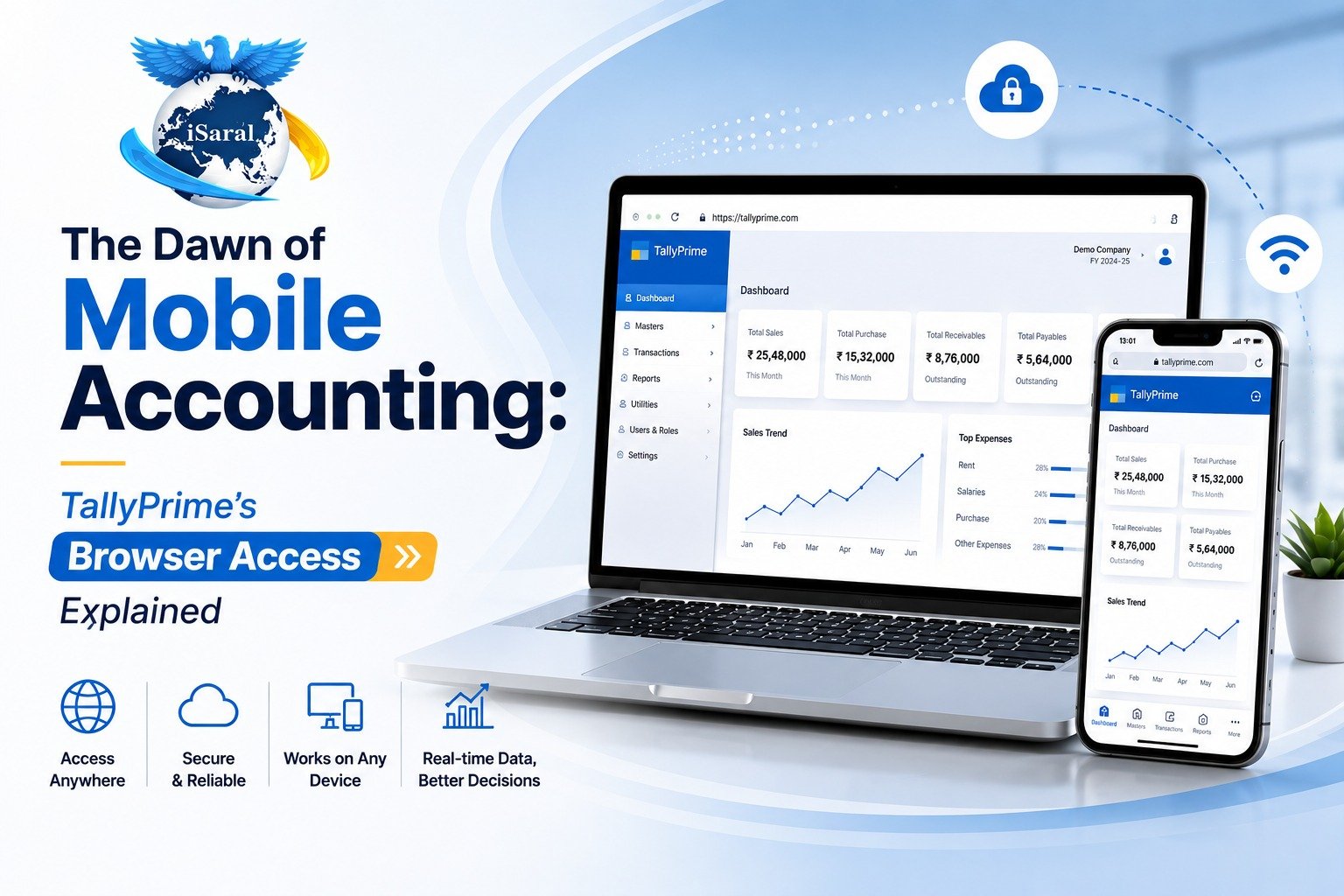
The days of being chained to your office desktop are over. If you're an accountant managing multiple clients' books, a business owner monitoring cash flow during travel, or an export company tracking international transactions across time zones, TallyPrime's browser-based reporting transforms how you work.
This guide covers everything you need to understand and deploy TallyPrime Reports in Browser (TRiB) — from what it is and how it works, to practical use cases that save hours of work every month.
Professionals with instant access to real-time reports make faster, better-informed decisions. They spot cash flow issues before they become crises, respond to customer inquiries immediately, and compete more effectively in dynamic markets.
What is TallyPrime Reports in Browser (TRiB)?
Secure, On-the-Go Access to Your Complete Financial Data
Imagine checking your business's financial health while waiting for your morning coffee or reviewing critical reports during a client meeting. That's the reality with TallyPrime Reports in Browser, commonly known as TRiB.
TRiB is your gateway to secure, on-the-go access to TallyPrime reports. Whether you're on a laptop during a business trip, reviewing data on your smartphone between meetings, or using your tablet while working from home, you can pull up your business reports with just an internet connection and a web browser. No complicated installations on multiple devices. No carrying around USB drives with sensitive data.
Your complete database remains exactly where it should be, protected on your primary system. When you request a specific report, only that particular data gets fetched and displayed in your browser. Think of it like looking through a window into your office safe rather than carrying the contents around with you.
How TRiB Works: Architecture and Security Behind the Scenes
The Window Approach: Data Stays Protected
Getting access to TRiB requires valid Tally.NET IDs and active Tally.NET services. These features come bundled with licensed versions of TallyPrime. When you opt for solutions like TallyPrime Silver or Gold from iSaral Business Solutions Pvt Ltd, these services are typically included, giving you the foundation for remote access.
The initial setup won't eat up your afternoon. The process follows a straightforward path: update your TallyPrime installation to the latest version, connect your company data, and grant access to the users who need it. That's it. Your accounting team can start viewing reports remotely almost immediately after configuration.
Your business data never leaves your local machine. Only the specific report you request gets transmitted to your browser—ensuring both security and performance, no matter where you are.
Unlocking Business Agility: Key Benefits for Modern Professionals
Four Ways Mobile Access Changes Everything
Browser access changes how accountants and business owners interact with their financial data throughout the day. It's not just convenience — it's a fundamental shift in how you work and make decisions.
Anywhere, Anytime Decision-Making
You're meeting a potential investor who asks specific questions about your cash flow. Instead of promising to send details later or making vague estimates, you simply pull out your phone and show them the actual Cash Flow statement. Real numbers. Real confidence.
Real-Time Insights = Competitive Advantage
Markets shift rapidly, and business conditions change overnight. When you can access updated financial data immediately, your decisions are based on current reality rather than last week's snapshot. This responsiveness separates thriving businesses from those constantly playing catch-up.
Productivity Through Scattered Time Windows
Think about all those small windows of time scattered through your day: waiting for a flight, commuting on the train, or that gap between back-to-back appointments. Browser access transforms these moments into productive opportunities for reviewing reports and spotting discrepancies.
Secure Collaboration Without Compromises
Need your CFO to review specific outstanding bills? Want your business partner to see this month's sales register? You can share specific reports with stakeholders without granting full system access or sending insecure email attachments.
Core Financial Statements Available On-the-Go
Your Complete Financial Picture in Your Pocket
TRiB doesn't limit you to basic summaries. The range of reports available through your browser covers virtually every aspect of your business finances and inventory.
- Balance Sheet: Your complete financial position at any point in time
- Profit & Loss Account: Exactly where your money is coming and going
- Cash Flow Statement: Understanding liquidity and short-term cash requirements
- Funds Flow Statement: Capital movements and long-term funding analysis
Management Reports: Bills, Receivables, and Outstanding Tracking
Day-to-Day Management at Your Fingertips
Outstanding management becomes mobile too, perfect for those moments when suppliers or customers call with payment queries.
- Bills Payable: What you owe and when payments are due
- Bills Receivable: What customers owe you and payment statuses
- Group Outstanding: Big picture view of pending amounts across categories
- Ledger Outstanding: Granular detail about individual account balances
Transaction Registers and Inventory Reports
From Daily Transactions to Stock Movements
Your day-to-day transaction registers travel with you, and inventory managers especially appreciate mobile access to stock reports.
Transaction Registers for Complete Audit Trails
Day Book captures all transactions chronologically. Purchase Register and Sales Register break down your buying and selling activities. Journal Register records your adjustment entries — each provides the complete transactional history you need for verification and analysis.
Inventory Management On-the-Go
Stock Summary gives you quantity and value snapshots across your warehouse. Stock Query helps you drill into specific items when customers inquire about availability. Movement Analysis shows how inventory flows through your business, highlighting fast-moving and slow-moving items.
Mobile-Responsive Design: Truly Built for Smaller Screens
Not a Shrunken Desktop — A Purpose-Built Mobile Experience
TallyPrime Release 2.0 marked a turning point for mobile users. The development team recognized that simply shrinking desktop reports onto phone screens creates terrible user experiences. They built something better.
The mobile-responsive design adapts intelligently to your screen size. Open a report on your tablet, and you'll see a layout optimized for that format. Switch to your phone, and the same report reorganizes itself for comfortable viewing and interaction on that smaller display. No horizontal scrolling nightmares. No pinching and zooming just to read a single figure.
Intuitive Navigation Structure
Report categories appear on the left side of your screen. Tap a category, and the related reports populate the right side. This two-panel approach simplifies report selection even when you're quickly searching for specific information.
Download & Export Flexibility
Spot something that needs deeper analysis or sharing? Download the report or voucher directly from your browser in PDF or Excel format. The Excel export works even if Microsoft Excel isn't installed on the system running TallyPrime.
Drill-Down to Source Transactions
Many reports let you tap through to increasingly detailed levels, right down to individual vouchers. Start with a summary, notice an unusual figure, tap to see the breakdown, and continue drilling until you reach the source transaction.
Getting Started with TRiB: Setup Process
Three Simple Steps to Remote Access
Enabling TRiB on your TallyPrime installation is straightforward. Follow this process exactly to ensure proper configuration and security.
- TallyPrime Version 6 or higher installed
- Valid Tally.NET credentials (typically included with Silver/Gold licenses)
- Active internet connection on primary system
- Company data uploaded to Tally Cloud (optional, enables Tally.NET Services)
- User access configured with appropriate permissions
The entire setup takes less than 30 minutes. Most of that time is spent creating user accounts and configuring report access permissions, not technical configuration.
Device Compatibility and Technical Requirements
Works on Everything with a Browser
TRiB's browser-based approach means exceptional compatibility across devices. If your device runs a modern web browser, it can access TallyPrime reports.
- Windows Desktops: Chrome, Firefox, Edge, Safari (if applicable)
- Mac Computers: Safari, Chrome, Firefox with full responsive support
- iPad & Tablets: Safari, Chrome with touch-optimized interface
- iPhones & Android Phones: Native browser apps with compact layouts
- Minimum Requirements: HTML5 support, JavaScript enabled, 4G/5G or WiFi connection
Real-World Use Cases That Save Time Every Week
How Different Professionals Use TRiB
Mobile access isn't just convenient — it solves real problems that accountants and business owners face every day.
Export Business Owners Tracking Forex Gains
An exporter receives a call from their bank about a forex settlement. Instead of saying "let me check and get back to you," they instantly pull up their Forex Gains/Losses report on their phone and discuss details in real-time.
Accountants Managing Multiple Clients
A CA managing 20 SME clients can review each client's latest financials while commuting, prioritizing which ones need attention, and reaching out with insights before their next office visit.
Retail & Wholesale Business Owners
A retail chain owner checks daily sales figures from each location every morning, identifying trends and performance issues before the day starts, enabling quick course corrections.
Import Companies Managing Receivables
When a customer calls asking about their outstanding balance in multiple currencies, the finance team pulls up the ledger outstanding report instantly and provides accurate information across all transactions.
Mobile Accounting Configuration Guide
Complete setup instructions for TRiB with best practices, security guidelines, user access configuration, and real-world implementation examples.
Step-by-Step Setup Guide
Enable TRiB and configure report access in under 30 minutes
Device Configuration Checklist
Test on iOS, Android, tablets, and desktops for optimal experience
Security & Access Control
Grant the right reports to the right people safely
Implementation Playbook
Real-world rollout strategies for teams and organizations
Conclusion: Freedom From Your Desk, Confidence in Your Data
Mobile accounting isn't a nice-to-have feature anymore — it's a business necessity for accountants and business owners who need agility, responsiveness, and real-time insights. TallyPrime Reports in Browser provides everything needed to access your complete financial data from any device, at any time, with confidence that your data remains secure.
The real advantage comes not just from having mobile access, but from using it strategically to make better decisions faster. When you can pull up real-time reports during client meetings, spot cash flow issues before they become crises, and respond instantly to financial questions, you transform how you work and how your business performs.
If your business is ready to embrace mobile accounting and break free from desktop-only financial management, download the free Mobile Accounting Configuration Guide above and start accessing your reports from anywhere today.