
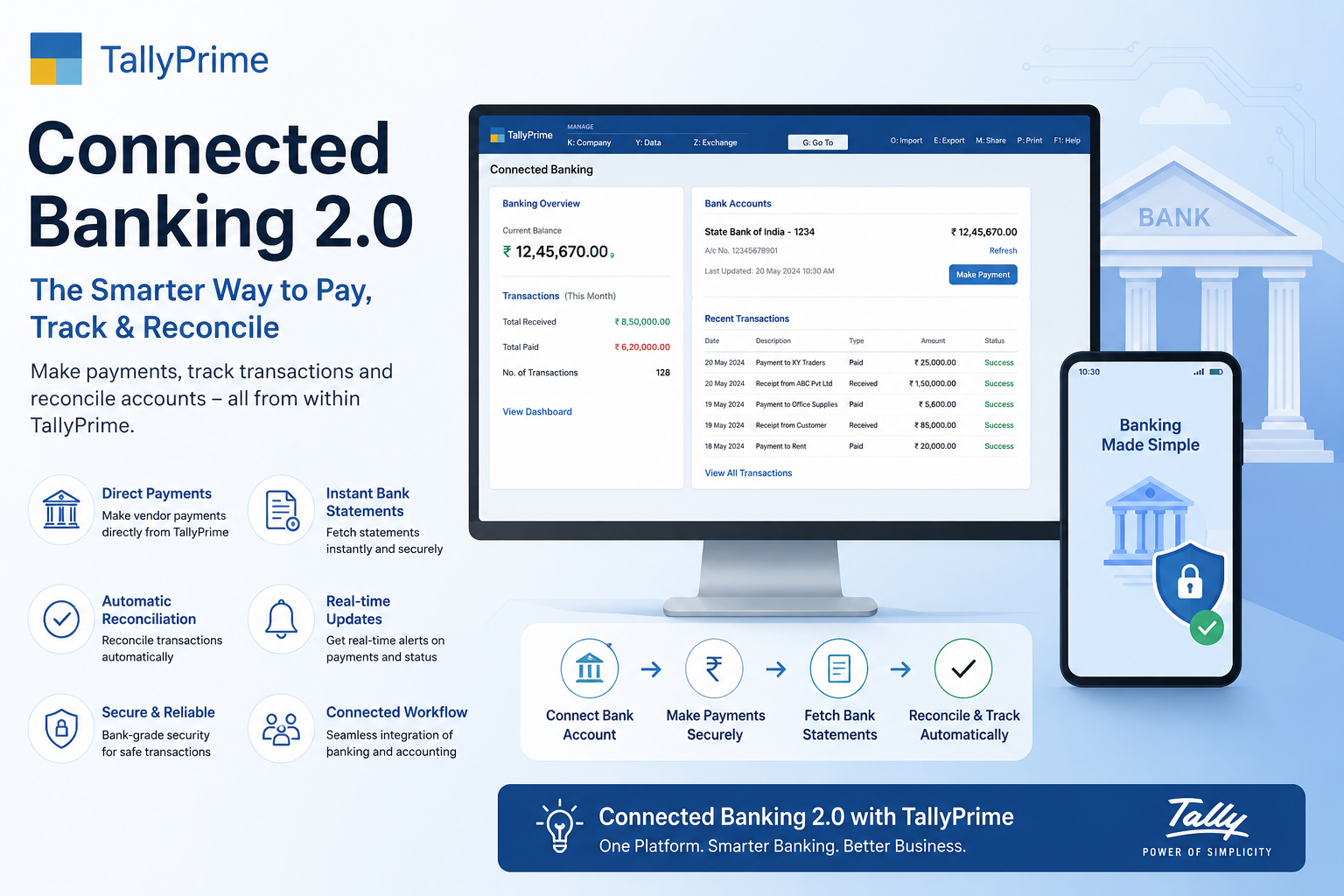
TallyPrime Connected Banking 2.0: The Smarter Way to Pay, Track & Reconcile
Managing business payments manually can be time-consuming and prone to errors. Businesses often switch between banking portals and accounting software to make payments, verify transactions, and reconcile bank statements. This process not only wastes valuable time but also increases the risk of mistakes.
TallyPrime Connected Banking 2.0 simplifies this entire process by bringing banking and accounting together. With secure banking integration, businesses can make payments, monitor transaction status, and reconcile bank statements directly from TallyPrime without repeatedly logging into their internet banking portal.
Whether you're a small business, accountant, or enterprise user, Connected Banking 2.0 helps you save time, improve accuracy, and streamline financial operations.
What is TallyPrime Connected Banking 2.0?
Connected Banking 2.0 is an advanced banking integration feature in TallyPrime that allows users to perform banking activities directly within the software.
Instead of downloading statements manually or logging into your bank every time you need to make a payment, TallyPrime securely connects with supported banks to automate these tasks.
It creates a single platform where accounting and banking work together, making financial management much more efficient. Instead of switching between multiple systems, users can manage accounting and banking from one place.
Why Businesses Need Connected Banking
Traditional banking workflows involve several manual steps that become increasingly difficult as transaction volumes grow:
- Recording purchase invoices
- Logging into internet banking
- Making vendor payments
- Downloading bank statements
- Importing statements into accounting software
- Matching transactions manually
Connected Banking 2.0 removes these repetitive tasks by automating payment processing and bank reconciliation, so your team works from one screen instead of switching between banking portals and TallyPrime all day.
Key Features of TallyPrime Connected Banking 2.0
Here's a breakdown of what makes Connected Banking 2.0 a genuine upgrade to how businesses handle payments and reconciliation:
| Feature | What It Does | Business Impact |
|---|---|---|
| Direct Vendor Payments | Make payments straight from TallyPrime without visiting the bank website | Faster payments, improved tracking, better cash flow management |
| Secure Banking Integration | Bank-grade authentication and encrypted communication | Financial information stays protected at every step |
| Real-Time Payment Status | Payment updates appear automatically inside TallyPrime | Know instantly whether a payment succeeded, is pending, or failed |
| Automatic Bank Reconciliation | Matches bank transactions with accounting entries automatically | Fewer errors, faster monthly close, easier audit preparation |
| Instant Bank Statement Fetching | Statements are fetched directly into TallyPrime | No manual downloads, less paperwork, no duplicate effort |
| Vendor Confirmation | Sends payment confirmations vendors can verify quickly | Fewer payment disputes, stronger supplier relationships |
How Connected Banking 2.0 Works
The process is simple and user-friendly, taking you from invoice to reconciled bank statement without leaving TallyPrime.
Enter supplier invoices into TallyPrime as usual.
Choose the outstanding invoices you want to pay.
Securely authenticate your supported bank account.
Initiate payments directly from TallyPrime.
Payment status is automatically updated inside the software.
Fetch the latest bank statement and reconcile transactions with a few clicks.
Benefits & Best Practices
Businesses that adopt Connected Banking 2.0 see improvements across time, accuracy, and vendor relationships:
Save Time
Automating banking activities significantly reduces manual work every day.
Improve Accuracy
Automation minimizes human errors during payment processing and reconciliation.
Cash Flow Visibility
Monitor payments and account balances more efficiently in real time.
Enhanced Productivity
Employees spend less time on banking tasks and more time on strategic work.
Strong Security
Secure authentication and encrypted communication protect sensitive data.
Better Vendor Relations
Timely payments and instant confirmations help maintain healthy relationships.
- ✓Stay Updated: Regularly update TallyPrime to the latest version
- ✓Use Supported Banks: Confirm your bank is a supported banking partner
- ✓Reconcile Frequently: Reconcile accounts regularly instead of waiting until month-end
- ✓Verify Before Paying: Double-check payment details before processing
- ✓Control Access: Enable appropriate user access controls for banking features
- ✓Keep Records Current: Maintain updated financial records at all times
Who Should Use Connected Banking?
Connected Banking is ideal for any organization that regularly processes vendor payments:
- Small businesses
- Medium-sized businesses
- Chartered accountants
- Finance teams
- Manufacturing companies
- Retail businesses
- Service providers
- Wholesale distributors
Faster, Cleaner Operations
Faster payment processing, reduced paperwork, better financial control, and accurate reconciliation.
Lower Costs, Better Oversight
Lower operational costs, improved compliance, simplified accounting, and enhanced productivity.
Why Upgrade to Connected Banking 2.0?
Businesses are moving toward digital financial management. Connected Banking 2.0 eliminates unnecessary manual processes while giving users a seamless banking experience inside TallyPrime.
This improves operational efficiency and allows finance teams to focus on business growth rather than repetitive administrative work.
Set Up Connected Banking 2.0
Learn how to configure secure banking integration, automate vendor payments, and reconcile bank statements faster in TallyPrime.
Guided Setup
Step-by-step help connecting your supported bank account to TallyPrime
Payment Automation
Configure direct vendor payments and real-time status tracking
Reconciliation Workflows
Best-practice templates for fast, accurate monthly reconciliation
Expert Guidance
Direct support from Tally implementation professionals
Frequently Asked Questions
Do I need to log into my bank's website to use Connected Banking?
No. Once your bank account is securely connected, you can make payments, check status, and fetch statements directly inside TallyPrime without visiting your bank's portal separately.
Is Connected Banking 2.0 secure?
Yes. It uses secure bank-grade authentication and encrypted communication to keep your financial information protected throughout every transaction.
Which businesses benefit most from Connected Banking?
Any organization that regularly processes vendor payments — including small and medium businesses, chartered accountants, manufacturers, retailers, service providers, and wholesale distributors — sees clear time and accuracy gains.
How does automatic reconciliation work?
Connected Banking fetches your latest bank statement and automatically matches transactions against your accounting entries in TallyPrime, flagging only the items that need manual review.
Can I still download statements manually if needed?
Yes, manual downloads remain available, but Connected Banking is designed to make that step unnecessary for day-to-day reconciliation.
What should I do before going live with Connected Banking?
Update TallyPrime to the latest version, confirm your bank is a supported partner, and set appropriate user access controls before connecting live accounts.
Conclusion
TallyPrime Connected Banking 2.0 transforms the way businesses manage payments and bank reconciliation. By integrating banking directly into accounting software, it reduces manual effort, improves financial accuracy, and speeds up payment processing.
Whether you're handling a few transactions each week or managing hundreds of vendor payments every month, Connected Banking 2.0 helps simplify your financial workflow while keeping your data secure. If you're looking to improve productivity, streamline accounting, and make smarter financial decisions, it's an excellent solution for modern businesses.
Why This Banking Workflow Works
At Tally Software Team, we've helped businesses across multiple industries move from manual banking workflows to fully connected, automated systems:
Tested Setup Process
Our Connected Banking setup approach is based on real-world implementation across small businesses and large finance teams alike.
Faster Close, Fewer Errors
Businesses adopting this workflow typically cut monthly reconciliation time significantly while reducing payment errors.
Explore More TallyPrime Resources
Tracking Pending Payments in TallyPrime
Learn how to monitor outstanding receivables and payables in TallyPrime to improve cash flow, avoid overdue payments, and manage customer collections efficiently.
📊 TallyPrime GuideAssets and Liabilities in TallyPrime
Learn how to manage assets and liabilities in TallyPrime, track business finances accurately, monitor account balances, and generate financial reports for better decision-making.
🖥️ TallyPrime GuideTally Prime Silver for Single User Operations
A complete look at TallyPrime Silver and when it's the right fit for single-user business operations.