
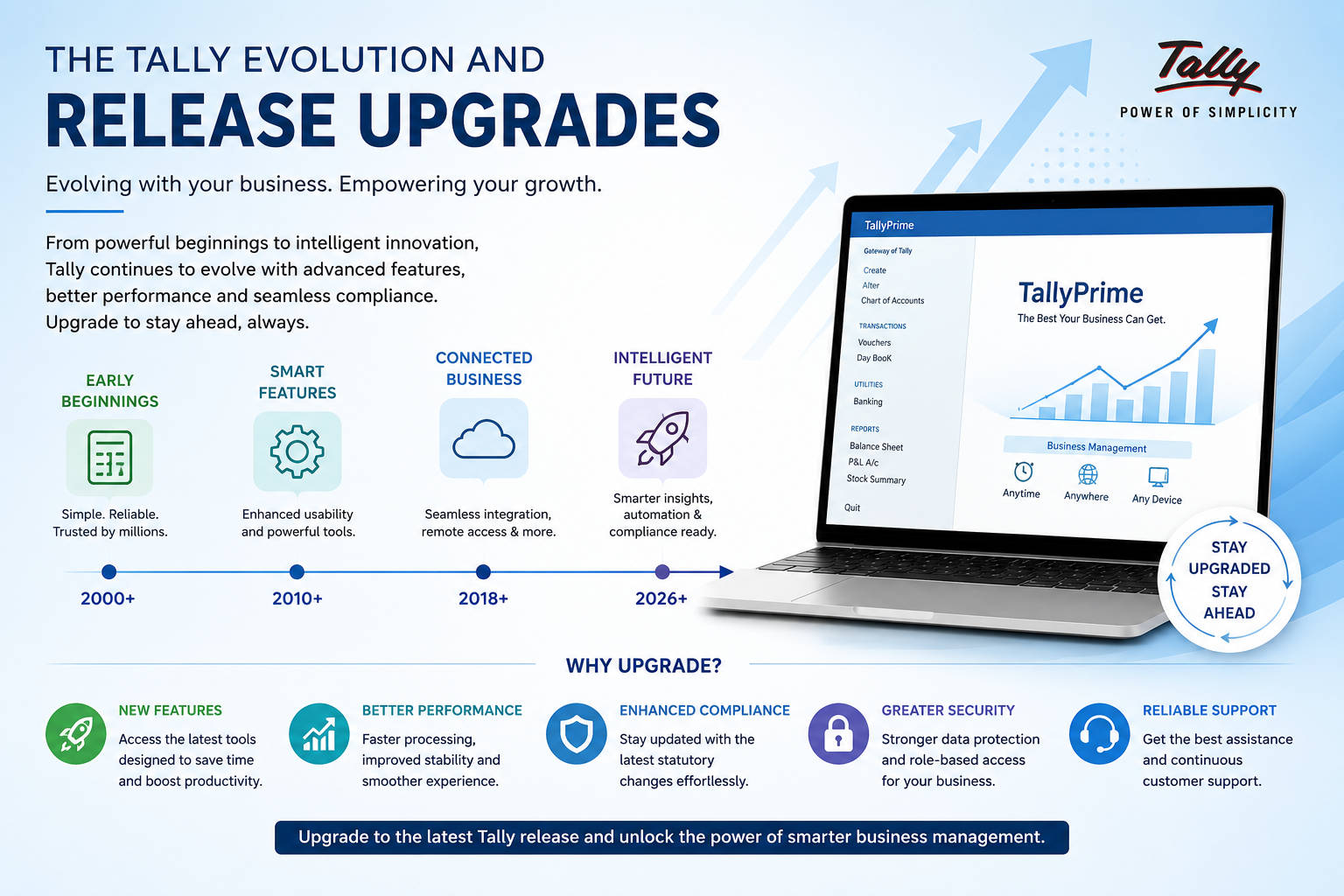
Understanding the Tally Evolution Journey
From Simple Bookkeeping to Comprehensive Business Management
Tally started as a simple bookkeeping tool in 1986 and has grown into a full-scale business management powerhouse. What began as basic ledger management now handles GST compliance, payroll, inventory, and multi-location operations — making it a go-to solution for millions of businesses across India and beyond.
Understanding Tally's evolution is crucial for appreciating why staying updated matters for your business. Each version didn't appear randomly—it emerged in response to how Indian businesses operate and what regulations demanded.
Tally didn't grow by adding random features. When VAT compliance was introduced in 2001, Tally responded with VAT support built-in. When GST arrived in 2017, TallyPrime was ready with e-invoicing and real-time compliance. This pattern of evolution means when you stay updated, you're not just getting new features—you're staying compliant with changing regulations.
Key Milestones That Shaped Tally's Growth
37 Years of Continuous Innovation
| Version | Year | Key Highlight |
|---|---|---|
| Tally 1.0 | 1986 | Simple DOS-based accounting foundation |
| Tally 4.5 | 1990 | Multi-company accounting capabilities |
| Tally 6.3 | 2001 | VAT compliance introduced |
| Tally 7.x Series | 2005 | Windows transition, enhanced VAT |
| Tally ERP 9 | 2009 | Full ERP capabilities, payroll, inventory |
| TallyPrime | 2020 | Redesigned UI, GST e-invoicing, cloud-ready |
| TallyPrime 2.0+ | 2021-Present | AI-assisted features, advanced analytics |
Major Tally Versions: What Each Brought to the Table
The Real Impact of Each Major Release
Tally 4.5 (1990)
Tally proved that accounting software could be simple, fast, and effective. While others built complex systems, Tally focused on speed and simplicity. Accountants loved it because it was intuitive and handled multi-company accounting without complexity.
- Multi-company management in single system
- Lightning-fast performance on basic hardware
- Standard ledger and subsidiary books
- Depot and branch management support
Tally 6.3 (2001)
When VAT replaced sales tax in 2005, Tally transformed overnight to become India's compliance partner. For the first time, accountants didn't need a separate software—Tally calculated VAT automatically and accurately. This single shift cemented Tally's position in Indian business.
- Automatic VAT calculations and compliance
- Compliance-focused reporting for audits
- Group company management enhancement
- Improved voucher entry capabilities
Tally ERP 9 (2009)
ERP 9 wasn't just accounting anymore—it was a full enterprise resource planning solution. Businesses could now manage accounting, inventory, payroll, and multi-location operations from a single system. This single version dominated for over a decade because it was comprehensive yet affordable.
- Complete payroll management system
- Inventory tracking with multiple cost centers
- Job costing for project-based businesses
- Multi-location and multi-warehouse support
- Budget vs. actual analysis capabilities
TallyPrime (2020)
A complete redesign for the modern era. TallyPrime brought a beautiful, intuitive interface while maintaining speed and reliability. Built for cloud from day one, designed for collaboration, and optimized for GST compliance automatically.
- Completely redesigned modern interface
- Built-in GST e-invoicing and e-way bills
- TDS/TCS compliance automation
- Cloud-ready architecture for remote access
- AI-assisted data entry and reconciliation
- Real-time dashboards and smart reports
Each major version appeared exactly when Indian businesses needed it most. That's not luck—that's Tally understanding the pulse of Indian business.
Features That Became Game-Changers for Tally Users
Innovations That Reshaped How Accountants Work
| Feature | Version Introduced | Why It Mattered | Impact Today |
|---|---|---|---|
| Payroll Management | Tally ERP 9 | Saved hours of manual salary calculations | Essential for growing teams |
| Multi-Company Support | Tally 7.2+ | Allowed businesses to expand without new software | Core for group companies |
| Job Costing | Tally ERP 9 | Made project profitability visible | Critical for construction, services |
| Multi-Warehouse Inventory | Tally ERP 9 | Enabled distributed operations management | Foundation for multi-location businesses |
| Connected Banking | TallyPrime | Real-time financial visibility without manual entry | Eliminates reconciliation headaches |
| GST E-Invoicing | TallyPrime | Automatic compliance with GST regulations | Mandatory for many businesses |
| AI-Assisted Data Entry | TallyPrime 2.0 | Reduces manual entry errors significantly | Improves accuracy and speed |
| Smart Reports | TallyPrime 2.0 | Faster business decisions with real-time insights | Strategic advantage for management |
Navigating the Tally Upgrade Process with Confidence
How to Upgrade Your Tally Safely Without Data Loss
Back Up Your Data Completely
Before any upgrade, create complete backups of your current Tally data. Store backups in at least two locations—external hard drive and cloud storage. This is your safety net. If anything goes wrong, you can always revert to the backed-up version.
Test in a Demo Environment First
Download the new version and test it with a copy of your data on a separate machine before going live. Explore new features, check if your reports work, verify third-party add-ons are compatible. This testing phase prevents costly mistakes.
Read the Release Notes Thoroughly
Release notes highlight known issues, deprecated features, and compatibility notes. Understanding these prevents pitfalls and prepares your team for what's different. Never skip this step—release notes are your roadmap.
Plan the Timing Carefully
Upgrade during a quiet business period, not mid-month or before payroll. Ideal timing is right after financial month-end closing. This minimizes disruption and gives your team time to adapt without pressure.
Verify Data Integrity After Upgrade
After upgrading, immediately check opening balances, ledger totals, and financial statements. Run a trial balance and compare it to the previous version. Any discrepancy needs investigation before proceeding with normal operations.
- Upgrading mid-financial-year without reconciliation: Always ensure accounts are balanced first
- Skipping demo testing: A 30-minute test saves 30 hours of troubleshooting
- Ignoring third-party add-ons: Check compatibility before touching production system
- No backup before upgrade: Non-negotiable—always backup first
- Not training the team: New features require someone to understand them
Maximizing the Benefits of Each New Tally Release
Most Teams Use Only 40% of What Tally Offers
Designate a Power User
Assign one person to explore the new version deeply. Have them document workflows, create quick-reference guides, identify which features benefit your team most. This person becomes your internal Tally expert and accelerates team adoption.
Run Focused Training Sessions (30 min max)
Shorter training beats longer ones. Focus on features your team will actually use. Show them with real company data why the new feature matters. Make it relevant, not theoretical.
Document Your Processes
Create simple cheat sheets for new features and pin them near workstations. Document customized setups so when someone new joins, they can learn quickly without requiring extensive handholding.
Measure Time Savings
Track how many hours new features save weekly. If GST e-invoicing saves 2 hours weekly, that's 104 hours yearly. Make the value visible to leadership to justify upgrade investments.
- Auto-bank reconciliation shortcuts: Often overlooked but saves hours weekly
- GST filing improvements: Direct submission features in TallyPrime
- Multi-currency handling: Useful for import/export businesses
- Advanced reporting: Custom reports can provide unique insights
- Batch operations: Handle mass entries efficiently
Future-Proofing Your Business with Tally's Upgrade Roadmap
Where Tally Is Heading and Why It Matters
Tally's roadmap is clear: cloud-ready, AI-assisted, compliance-automated, and collaboration-focused. Understanding these trends helps you plan your technology investments strategically.
| Strategy Step | Action |
|---|---|
| Audit current version | Identify gaps vs. latest release and missing features |
| Schedule upgrades | Align with financial year cycles for minimal disruption |
| Train your team | Ensure smooth adoption post-upgrade with focused sessions |
| Monitor updates | Subscribe to release notes regularly to stay informed |
| Plan cloud transition | Evaluate cloud options even if not ready today |
- Enhanced Cloud Integration: Full remote access with real-time collaboration
- AI-Driven Insights: Automated recommendations for cost savings and opportunities
- Advanced Analytics: Predictive financial dashboards for better decisions
- GST Automation: Seamless compliance with automatic reconciliation
- Business App Integration: Connections with banking, payments, logistics platforms
Tally Upgrade & Evolution Complete Toolkit
Everything you need to upgrade smoothly, avoid pitfalls, and maximize new features. Step-by-step guides, checklists, and templates sent to your inbox.
Safe Upgrade Checklist
Step-by-step guide to backup, test, and migrate without data loss
Version Comparison Chart
See what's new in each version and which features matter for your business
Team Training Plan
Ready-to-use agenda for rolling out upgrades to your accounting team
Data Integrity Verification Guide
Comprehensive checks and reconciliation steps post-upgrade
Conclusion: Staying Updated Is a Business Strategy
Tally's 37-year journey is a masterclass in continuous evolution. From simple DOS-based bookkeeping to modern cloud-ready ERP, each version was built to address exactly what Indian businesses needed at that moment. The gap between versions isn't just technological—it's the difference between struggling with outdated tools and competing with modern ones.
Upgrading isn't a technical checkbox. It's a business decision that affects your compliance, your team's productivity, and your financial visibility. When you stay updated with Tally releases, you're investing in a system that grows with your business and keeps you ahead of regulatory changes.
The businesses that thrive aren't waiting for the next crisis to upgrade their tools. They're staying ahead, continuously learning, and using modern systems to make smarter decisions. Make Tally upgrades a regular part of your technology strategy, and watch how much clearer your business becomes.