
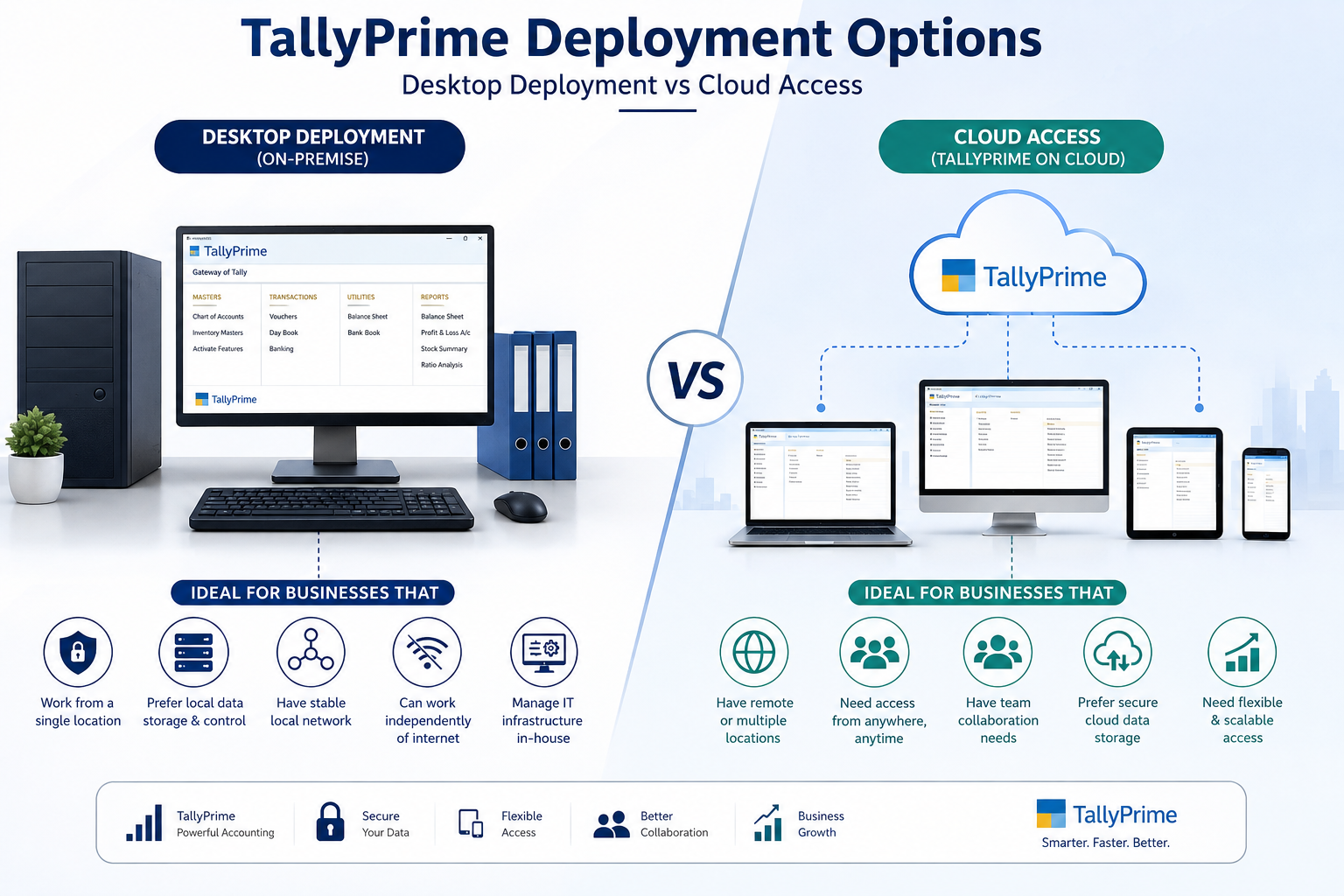
TallyPrime Deployment Options: Desktop vs Cloud Access
Choosing the right way to use your accounting software can make a big difference in how easily your business manages financial data. TallyPrime offers different deployment options, including traditional desktop or on-premise installation and cloud-based access.
Both options provide access to TallyPrime features, but they are designed for different business requirements. Understanding the difference between local and cloud deployment can help you choose the right solution for your organization.
What Is On-Premise Deployment in TallyPrime?
On-premise deployment means that TallyPrime is installed directly on your computer or on computers within your business network. Your accounting data is stored and managed on your organization's local systems.
This option is commonly preferred by businesses that work primarily from one office and want direct control over their accounting environment.
Benefits of On-Premise TallyPrime
- ✓Data is maintained on your local computer or network.
- ✓Employees can work within the office network.
- ✓Businesses can maintain greater control over their local data environment.
- ✓It can be suitable for organizations with stable office-based operations.
- ✓Existing local IT infrastructure can be used.
- ✓Businesses can continue their accounting activities without depending entirely on internet access.
What Is TallyPrime Cloud Access?
Cloud access allows users to access their TallyPrime environment remotely through an internet-connected device. Instead of being restricted to a particular office location, users can work with their accounting information from different locations.
This can be especially useful for business owners, accountants, and teams that need flexibility while working from home, travelling, or managing multiple locations.
Benefits of Cloud Access
- ✓Access your accounting environment from different locations.
- ✓Support remote and hybrid working.
- ✓Make it easier for teams in different locations to collaborate.
- ✓Reduce dependency on a single physical workstation.
- ✓Provide greater flexibility for business owners and accounting professionals.
- ✓Make remote business operations more convenient.
Desktop vs Cloud Access: Which Is Better?
There is no single deployment option that is best for every business. The right choice depends on your working environment, number of users, remote-access requirements, and business operations.
- Your employees mainly work from one office
- You already have a suitable computer or local network
- Remote access is not a major requirement
- You prefer managing the software environment locally
- Your business has a simple office-based accounting setup
- Your team needs to work remotely
- Business owners need access while travelling
- Employees work from multiple locations
- You have branches or distributed teams
- Your business is moving toward remote or hybrid operations
Important Factors to Consider Before Choosing
Before selecting a deployment model for TallyPrime, consider the following questions.
If your accounting team works from a single office, a desktop-based setup may be sufficient. If employees frequently work remotely, cloud access can provide greater flexibility.
Consider the number of people who need to access your accounting system and how they work together. A business with multiple users or locations may have different requirements from a small single-office business.
If you need to check business accounts while travelling or working from home, remote access becomes an important consideration.
Cloud-based access depends on internet connectivity. Businesses should make sure they have a stable and reliable connection for regular accounting activities.
Think about your organization's data management, backup, security, and access requirements before choosing a deployment model.
Desktop vs Cloud Access: Side-by-Side Comparison
Here is a quick summary of how the two deployment models compare across the factors that matter most to growing businesses:
| Factor | Desktop / On-Premise | Cloud Access |
|---|---|---|
| Data Location | Stored on local computer or network | Accessed remotely via the internet |
| Best Working Style | Single-office, on-site teams | Remote, hybrid, or multi-location teams |
| Internet Dependency | Not required for daily use | Requires a stable connection |
| Access Flexibility | Limited to office network | Available from any connected device |
| Collaboration Across Locations | More challenging | Easier for distributed teams |
| IT Setup | Uses existing local infrastructure | Depends on cloud service configuration |
| Control Over Environment | Greater direct control locally | Managed through the cloud service |
Who Is Each Deployment Model Best For?
Best for Single-Location Businesses
Local deployment can be a good fit for small and medium-sized businesses that operate mainly from one location and have employees working on-site. It can also suit businesses that already have an established local IT setup and do not frequently require remote accounting access.
Best for Remote & Distributed Teams
Cloud access can be beneficial for businesses with remote employees, multiple offices, travelling business owners, or teams that need to access accounting information from different locations. It provides greater flexibility for businesses that are not limited to a single physical workplace.
You Are Not Limited to One Working Style
Modern businesses are becoming increasingly flexible in how and where their employees work. Accounting systems therefore need to support different business environments.
Whether your organization operates from one office or has employees working across different locations, the deployment approach should match your actual business requirements.
Evaluate Your Users
Consider how many people need access and how they work together across locations.
Check Connectivity
Make sure your internet connection can reliably support the deployment model you choose.
Plan for Security
Factor in your data management, backup, and access-control requirements before deciding.
Why Choose iSaral?
Get full access to TallyPrime with expert deployment support for 7 days, completely free.
Full Access
Access all TallyPrime features without any restrictions during your trial period
No Credit Card
Start instantly without providing any payment details upfront
Deployment Support
Our dedicated TallyPrime experts will help you choose and set up desktop or cloud access
Cancel Anytime
No hidden charges or long-term commitments required at any point
Frequently Asked Questions
Is TallyPrime available for desktop use?
Yes. TallyPrime can be used through a traditional local installation on a computer or business network.
Can TallyPrime be accessed remotely?
Remote access options are available depending on the TallyPrime setup and services being used. Businesses should choose the appropriate configuration based on their requirements.
Is cloud access better than desktop deployment?
Not necessarily. Cloud access is useful for businesses requiring flexibility and remote access, while local deployment can work well for businesses operating mainly from a single location.
Which option is suitable for a small business?
A small business should consider its number of users, office locations, remote-work requirements, budget, and IT infrastructure before selecting a deployment model.
Do I need internet access for cloud-based accounting?
A stable internet connection is important for accessing cloud-based systems and working remotely.
Final Thoughts
TallyPrime deployment should be selected according to the way your business operates. Desktop or local deployment can be suitable for organizations that primarily work from one office, while cloud access can provide greater flexibility for businesses with remote teams and multiple locations.
Before making a decision, evaluate your team's working style, number of users, remote-access requirements, internet connectivity, and data-management needs. Choosing the right deployment model can help your business maintain an efficient and flexible accounting workflow.
Not Sure Which Deployment Model Fits Your Business?
iSaral is an authorised TallyPrime partner that helps businesses choose, set up, and manage the right deployment model — whether that's desktop, cloud, or a mix of both. We assess your working style, team size, and connectivity before recommending a setup.
Talk to a Deployment Expert
Book a free 30-minute consultation with our TallyPrime specialists. We'll assess your current setup and recommend the deployment model that fits your business — at no cost.
Full Team Onboarding Support
Every iSaral engagement includes guidance for your entire team, ensuring everyone is confident and productive from day one, on desktop or cloud.