
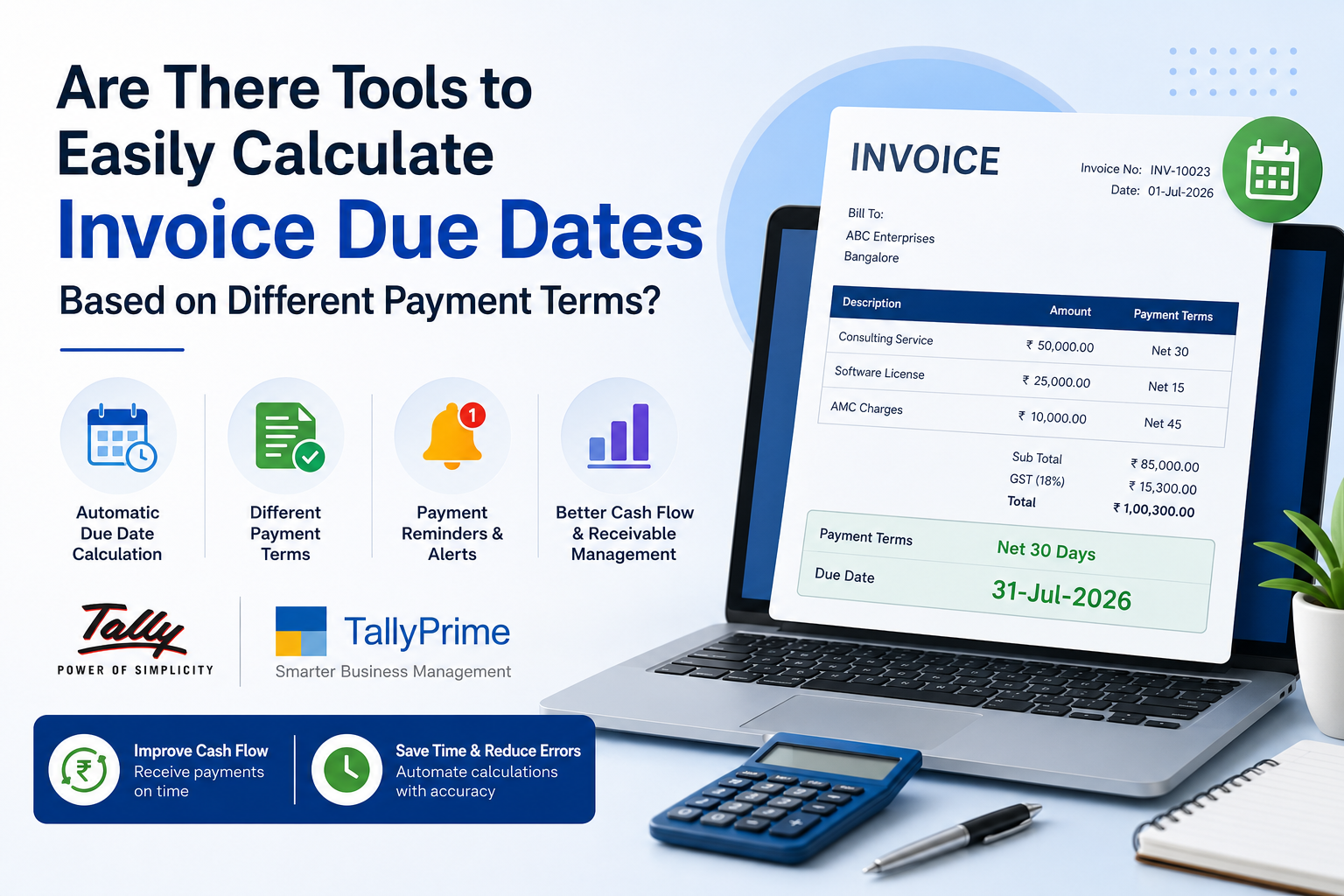
Are There Tools to Easily Calculate Invoice Due Dates Based on Different Payment Terms?
Managing invoice due dates is one of the most important parts of maintaining healthy cash flow. Whether you're a small business owner, accountant, freelancer, wholesaler, manufacturer, or enterprise finance manager, keeping track of payment deadlines manually can quickly become complicated. Different customers often negotiate different payment terms — Net 15, Net 30, Net 45, Net 60, or entirely custom billing cycles — and calculating each one by hand increases the chances of errors, delayed collections, and strained customer relationships.
Modern accounting software like TallyPrime has changed that by automatically calculating invoice due dates based on predefined payment terms. Instead of relying on spreadsheets or manual calendars, businesses can automate the process, cut down administrative work, and make sure every invoice reaches the customer with a clear payment expectation. If you're still tracking due dates on Excel, our guide on upgrading from Excel to TallyPrime is a good place to start.
What Is an Invoice Due Date?
An invoice due date is the final date by which a customer is expected to pay an invoice. It's calculated from the invoice date plus the agreed payment terms between buyer and seller.
| Invoice Date | Payment Terms | Due Date |
|---|---|---|
| 1 July 2026 | Net 15 | 16 July 2026 |
| 5 July 2026 | Net 30 | 4 August 2026 |
| 10 July 2026 | Net 45 | 24 August 2026 |
| 15 July 2026 | Net 60 | 13 September 2026 |
Why Manual Due Date Calculation Becomes a Problem
Many businesses still calculate invoice due dates using spreadsheets or handwritten records. That may work initially, but it creates real problems as transaction volume grows.
- Human calculation errors
- Incorrect payment reminders
- Missed follow-ups and disputes
- Consistent, error-free due dates
- Faster, more reliable cash collection
- Less workload for finance teams
Even a small mistake in calculating a due date can delay payment and directly affect working capital.
Which Businesses Need Automated Due Date Calculation?
Nearly every business that issues invoices can benefit from automated due date calculation.
Distributors, Dealers & Credit Periods
Manufacturers and wholesalers extend credit periods ranging from 15 to 90 days across many customers — automation keeps every account accurate.
Milestone Billing & Vendor Invoicing
Consultants, agencies, and retail suppliers with milestone-based or multi-vendor billing eliminate manual date tracking entirely.
Progressive & Retention Billing
Progressive billing, milestone invoices, and retention payments make due date automation especially valuable on long projects.
Fee Schedules & Corporate Billing
Institutions and hospitals handling batch-wise fees or insurance and corporate billing benefit from accurate invoice scheduling.
How Invoice Due Date Calculation Software Works
- Create a customer profile
- Assign default payment terms
- Generate an invoice
- Software calculates the due date automatically
- Invoice displays the payment deadline
- Reminder notifications are scheduled automatically
- Outstanding reports update in real time
This removes repetitive manual work while keeping every customer account consistent — the same logic covered in our GST filing checklist for TallyPrime users, where accurate dates matter just as much for tax reporting.
Common Payment Terms Supported
Most professional accounting systems support a wide range of payment structures, including:
- Net 7, Net 15, Net 30, Net 45, Net 60, Net 90
- Immediate Payment / Cash on Delivery (COD)
- Advance Payment
- End of Month (EOM)
- Custom Credit Days
- Milestone Billing
- Subscription & Recurring Monthly Invoices
Businesses can even create customer-specific payment terms based on individual contractual agreements.
Key Features to Look For in Invoice Due Date Software
Choosing the right accounting solution involves more than automatic date calculation. The best platforms bundle several productivity-enhancing features together.
Automatic Due Date Generation
Instantly calculates payment deadlines from the invoice date and selected payment term.
Flexible Payment Terms
Supports multiple structures so you can serve different customer categories efficiently.
Customer Credit Limits
Tracks credit utilization and prevents invoices from exceeding approved limits.
Automated Reminders
Sends email, SMS, or WhatsApp reminders before and after due dates to improve collections.
Recurring Invoice Management
Automates invoice generation and due dates for subscriptions and maintenance contracts.
Aging Analysis Reports
Buckets unpaid invoices into 30/60/90-day windows for better collection planning.
Benefits of Automated Invoice Due Date Calculation
| Area | Manual Process | Automated Software |
|---|---|---|
| Payment Collection | Inconsistent, delayed | Faster, more predictable |
| Cash Flow Visibility | Reactive, spreadsheet-based | Real-time, dashboard-driven |
| Error Rate | Prone to human mistakes | Consistent, rule-based calculation |
| Team Productivity | Time lost on manual tracking | More time for strategic planning |
| Customer Experience | Confusing, disputed deadlines | Clear, professional invoices |
| Audit Readiness | Scattered records | Accurate, always up to date |
Best Practices for Managing Invoice Due Dates
- Clearly mention payment terms before work begins
- Include the due date on every invoice
- Send invoices immediately after delivery or completion
- Schedule reminders ahead of payment deadlines
- Review outstanding invoices and aging reports every week
- Follow up promptly on overdue accounts
- Offer convenient digital payment options
- Reconcile customer accounts periodically
Why Cloud-Based Accounting Software Is a Better Choice
Traditional desktop accounting systems require manual updates and are often accessible only from office computers. Cloud-based accounting software removes those limits with automatic updates, anywhere access, secure backups, multi-device compatibility, real-time collaboration, and better business continuity — the same advantages we cover in our single-user vs multi-user TallyPrime comparison for teams deciding how to scale access.
Choosing the Right Invoice Due Date Tool
- ✓Automatic calculation — does it generate due dates instantly from payment terms?
- ✓Customer-specific terms — can each customer have their own agreed terms?
- ✓Recurring invoice support — does it handle subscriptions and repeat billing?
- ✓Automated reminders — are notifications sent before and after due dates?
- ✓Aging & receivable reports — can you see 30/60/90-day buckets at a glance?
- ✓GST integration — does it stay compliant with tax reporting requirements?
Get a Free TallyPrime Due Date Automation Demo
Share a few details and our team will walk you through automated due dates, reminders, and aging reports in TallyPrime — free of charge.
Instant Due Date Calculation
Every payment term, from Net 7 to fully custom credit days, calculated automatically
Automated Reminders
Email, SMS, and WhatsApp reminders scheduled without any manual setup
Real-Time Aging Reports
See 30/60/90-day receivables the moment an invoice goes overdue
GST-Ready Records
Due dates stay aligned with your tax reporting, automatically
FAQs
1. Can accounting software automatically calculate invoice due dates?
Yes. Modern accounting software automatically calculates due dates based on predefined payment terms such as Net 15, Net 30, Net 45, or custom credit periods.
2. Can I assign different payment terms to different customers?
Absolutely. Most accounting solutions allow customer-specific payment terms based on contracts or business relationships.
3. Does automated due date calculation reduce payment delays?
Yes. Accurate due dates combined with automated reminders help customers pay on time and improve cash flow.
4. Can recurring invoices also have automatic due dates?
Yes. Subscription and recurring billing systems automatically generate invoices with the correct payment deadlines.
5. Why is automated invoice due date management important?
It reduces manual work, minimizes errors, improves collections, enhances customer communication, and provides better visibility into accounts receivable.
Final Thoughts
Accurate invoice due date management plays a critical role in maintaining healthy cash flow and ensuring timely customer payments. Manual calculations may work while invoice volumes are small, but they quickly become inefficient as a business grows.
Automated accounting software removes that complexity by calculating due dates instantly, based on predefined payment terms — reducing errors and improving collection efficiency.
Whether your business runs on Net 15, Net 30, Net 60, recurring subscriptions, or fully customized billing cycles, adopting a modern invoice management solution can significantly streamline your financial operations and support sustainable, cash-flow-positive growth.
Still Deciding Which Software Fits Your Business?
iSaral is an authorized TallyPrime partner that has helped thousands of businesses across India automate invoicing, due dates, and receivables — with setup, training, and support included.
Explore More
GST Filing Checklist for TallyPrime Users
Keep due dates, invoices, and tax filings aligned with this step-by-step compliance checklist.
MigrationThe Ultimate Guide to Upgrading from Excel to TallyPrime
Moving off spreadsheets? Here's how to migrate your invoicing and receivables cleanly.
LicensingSingle User vs Multi User TallyPrime
Choosing the right licence so your whole finance team can track due dates together.