
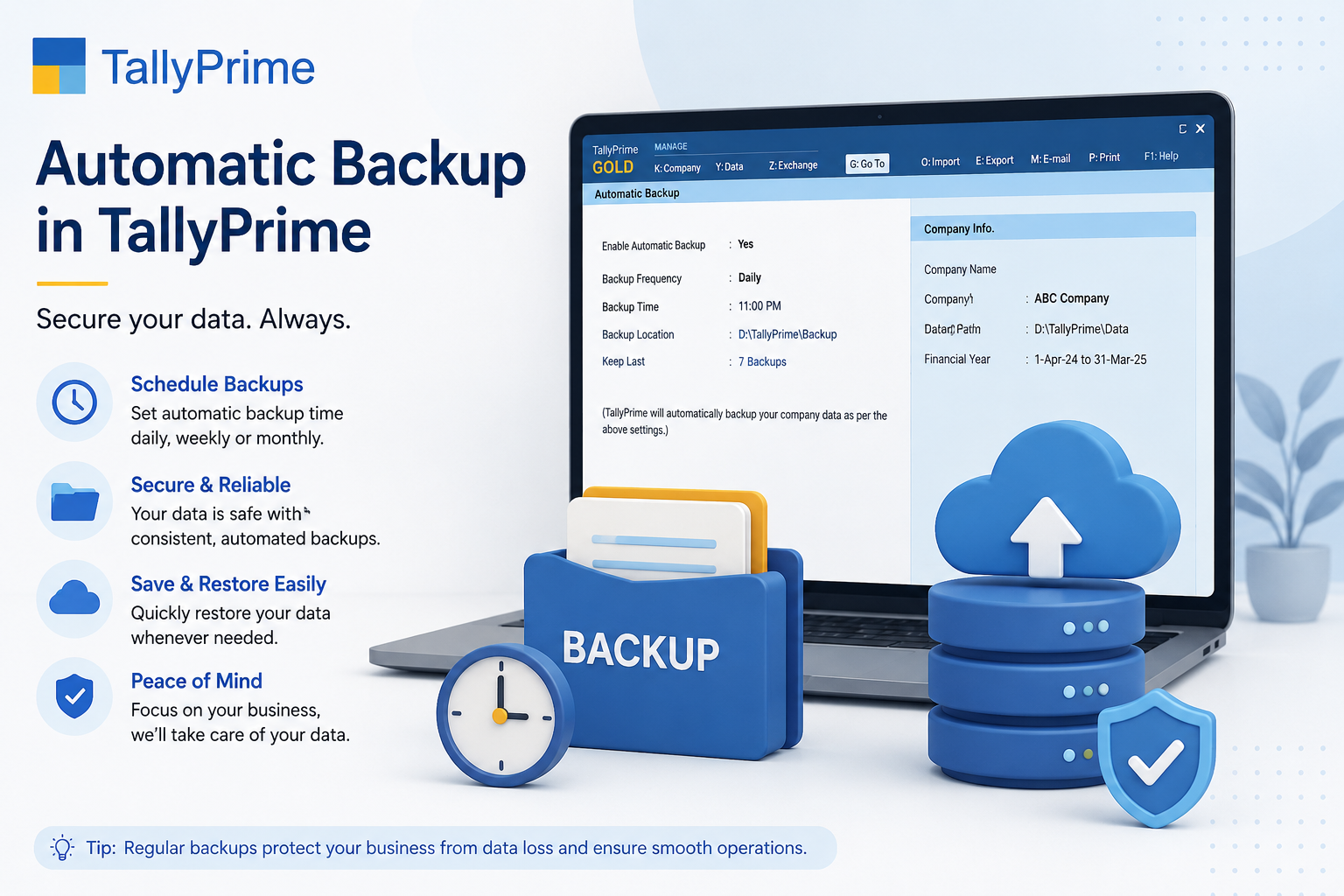
Keep Your Business Data Safe with Automatic Backup in TallyPrime 7.0
Business data is one of the most valuable assets for any organization. From accounting records and GST transactions to inventory details and payroll information, losing critical data due to accidental deletion, hardware failure, ransomware attacks, or system crashes can lead to devastating financial losses and operational disruptions.
With Automatic Backup in TallyPrime 7.0, businesses no longer need to worry about manually creating backups. The powerful Backup 2.0 feature ensures your company data is automatically stored securely in the cloud, making recovery simple, fast, and reliable.
What is Backup 2.0 in TallyPrime 7.0?
Backup 2.0 is the enhanced cloud backup solution introduced in TallyPrime 7.0. It automates the entire backup process by securely storing company data on the cloud based on a predefined schedule.
Instead of manually creating backup folders every day, users can configure automatic backups to run daily, weekly, or monthly. Once configured, TallyPrime takes care of everything in the background without requiring manual intervention.
Key Results of Automatic Backup:
- Automatic protection of all business data 24/7
- Secure cloud storage with enterprise-grade encryption
- Easy restoration of data whenever required
- Significantly reduced risk of permanent data loss
- Peace of mind for business owners and accountants
Why Automatic Backup Matters
Many businesses still rely on manual backups, which often leads to missed backups, outdated copies, or critical files being overlooked. This creates dangerous vulnerabilities in data protection.
Common Data Loss Scenarios:
- Computer crashes or hardware failures without warning
- Ransomware attacks encrypting valuable business data
- Accidental deletion of critical company files by employees
- Hard disk corruption making data inaccessible
- Network outages interrupting business operations
- Theft or loss of physical devices containing data
Without a recent backup, recovering business data can become difficult or even impossible. Automatic Backup eliminates these risks by ensuring your latest business information is always protected and available for recovery when needed.
Eliminate Vulnerabilities
Automatic backups eliminate human error and ensure no critical data is ever forgotten or missed.
Minimal Downtime
Restore your entire business data in minutes instead of hours or days of manual recovery work.
Key Features of Backup 2.0
1. Automatic Scheduled Backups
Configure your backup schedule according to business requirements. TallyPrime automatically creates backups without requiring any manual intervention.
- Daily Backup: Create new backups every day for maximum data protection
- Weekly Backup: Schedule backups once per week for moderate data volumes
- Monthly Backup: Ideal for archiving and long-term retention
- Automatic scheduling without manual intervention required
- Set preferred backup timing during off-business hours
2. Secure Cloud Storage
Backup files are stored securely in the cloud instead of relying only on local storage, providing multiple layers of protection.
- Protection against local hardware failures and disasters
- Remote accessibility from any authorized location
- Enterprise-grade encryption for data in transit and at rest
- Reduced dependency on external drives and physical storage
- Access control and user authentication for security
- Automatic backup redundancy across multiple servers
3. Incremental Backup Technology
Backup 2.0 uploads only the changes made since the previous backup, not the complete company data. This approach offers significant advantages.
- Much faster backup process compared to full backups
- Significantly reduced internet bandwidth usage
- Lower cloud storage consumption
- Better system performance during backup operations
- Ideal for daily backups without impacting productivity
- Automatic change tracking and intelligent compression
4. Flexible Data Restoration
Restore your business data easily whenever required, whether you need the latest backup or historical data from weeks ago.
- Restore the latest backup with one click
- Access previous backup versions from any point in time
- Retrieve historical company data for audit purposes
- Selective restoration of specific data or accounts
- Extremely useful for data corruption or accidental modifications
- Quick recovery minimizes business downtime
5. Instant Backup Alerts & Notifications
TallyPrime keeps you informed about the status of your backups in real-time. Receive immediate alerts if any issues occur.
- Instant notification when backup fails unexpectedly
- Confirmation alerts when backup completes successfully
- Warnings if internet connection interrupts backup
- Alerts for cloud storage space issues
- Email notifications to multiple administrators
- Detailed backup logs for compliance and audit trails
Benefits of Automatic Backup for Different Users
Business Owners
Business owners gain invaluable peace of mind knowing their financial records are securely protected.
- Reduced operational risks
- Faster disaster recovery
- Protection from data loss
- Business continuity assurance
- Safeguard financial records
- Protect GST transactions
- Secure inventory data
- Prevent revenue loss
Accountants & Finance Professionals
Accounting professionals work with highly sensitive financial information and audit data.
- Safe client data storage
- Easy record restoration
- Audit trail protection
- Compliance assurance
- Historical data access
- Audit readiness
- Data integrity proof
- Version control
IT Administrators
Managing backups across multiple systems becomes much simpler with centralized automation.
- Centralized backup control
- Reduced manual workload
- Easy monitoring dashboard
- Automated scheduling
- Secure cloud storage
- Multi-system backup
- Disaster recovery prep
- Compliance reporting
Chartered Accountants & Tax Professionals
Professionals handling multiple clients can easily maintain secure backups for every company.
- Client-wise backup management with separate storage
- Faster recovery when needed for client emergencies
- Better compliance during audit seasons
- Reduced risk during GST filing deadlines
- Professional service delivery to multiple clients
Why Businesses Should Upgrade to TallyPrime 7.0
TallyPrime 7.0 introduces several major improvements focused on security, automation, and business continuity that go beyond basic accounting software features.
Automatic Cloud Backup
Automatic backup ensures data is continuously protected without manual intervention required.
System Improvements
Enhanced system stability and faster disaster recovery to minimize business interruption.
Data Security
Enterprise-grade encryption protects your financial data in transit and at rest.
Fast Recovery
Restore complete backup or specific data in minutes instead of hours.
Compliance Ready
Automatic backups help maintain GST compliance and audit readiness requirements.
Simplified Management
Schedule once and forget—automatic backups run without any manual work required.
Remote Access
Access backups from anywhere with secure cloud storage and authentication.
Cost Effective
Eliminate expensive IT support costs and external backup service subscriptions.
Best Practices for Using Backup 2.0
To maximize the benefits and reliability of automatic backups, follow these proven best practices:
- 1Schedule During Off-Hours — Configure backups to run during non-working hours when system usage is minimal.
- 2Verify Completion Regularly — Check backup status and logs weekly to ensure successful backups are occurring.
- 3Maintain Stable Internet — Ensure reliable internet connectivity to prevent backup interruptions during scheduled times.
- 4Review Backup History — Periodically check backup logs to identify patterns and potential issues early.
- 5Restrict Access — Limit backup access to authorized administrators and accounting staff only.
- 6Test Restoration — Occasionally test data restoration to verify backups are working correctly and data is recoverable.
- 7Monitor Storage Space — Keep track of cloud storage usage and plan for expansion before reaching limits.
- 8Document Procedures — Create backup procedures documentation for your team and backup process documentation for compliance.
Who Should Use Automatic Backup?
Backup 2.0 is essential for any organization that depends on TallyPrime for daily operations. Here's who benefits most:
- Small and medium businesses
- Retail and e-commerce stores
- Manufacturing companies
- Wholesale distributors
- Service-based businesses
- Chartered Accountants (CA)
- Certified Financial Advisors
- Tax consultants
- GST practitioners
- Audit firms
Common Data Loss Scenarios & Recovery
Understanding common data loss situations helps emphasize why automatic backup is critical for every business.
| Scenario | Risk Level | Automatic Backup Solution |
|---|---|---|
| Hardware Failure | Critical | Cloud backup ensures data survives hardware failure |
| Ransomware Attack | Critical | Restore clean data from pre-attack backup |
| Accidental Deletion | High | Quickly restore deleted files without loss |
| Disk Corruption | High | Recover intact data from cloud backup |
| Network Outage | Medium | Local backup+cloud ensures business continuity |
| Theft/Loss | High | Data remains safe in secure cloud storage |
| User Error | Medium | Restore previous version without major loss |
| Power Surge | Medium | Automatic backup protects against sudden power loss |
Data Security & Compliance in Backup 2.0
Enterprise-grade security ensures your financial data remains protected throughout the backup process and in cloud storage.
Security Features:
- Encryption in Transit: Data is encrypted during upload to cloud servers using SSL/TLS protocols
- Encryption at Rest: Stored backup files are encrypted with AES-256 bit encryption
- User Authentication: Only authorized users with credentials can access backups
- Access Logs: Complete audit trail of who accessed which backups and when
- Multi-Factor Authentication: Additional security layer with OTP verification
- Compliance Standards: Meets GST Act requirements and RBI guidelines for data protection
Frequently Asked Questions
What is Backup 2.0 in TallyPrime 7.0?
Backup 2.0 is an automatic cloud backup feature that securely saves company data based on scheduled intervals. It eliminates manual backup work while providing enterprise-grade data protection.
Can I schedule automatic backups according to my preferences?
Yes. You can schedule backups daily, weekly, or monthly according to your business needs. Choose the frequency and timing that works best for your operations.
Where are my backups stored?
Backups are securely stored in the cloud with enterprise-grade encryption. Multiple copies are maintained across different locations for redundancy.
Can I restore old versions of my company data?
Yes. Backup 2.0 allows you to restore both the latest backup and previous versions from any point in history. This is useful for recovering from data corruption or accidental modifications.
How secure is automatic backup?
Very secure. TallyPrime uses AES-256 encryption, SSL/TLS protocols, user authentication, and multi-factor authentication to protect your data throughout the backup process.
Who should use Backup 2.0?
All businesses and professionals using TallyPrime should enable automatic backup. It's essential for protecting critical financial data from loss or corruption.
Will backups slow down my system?
No. Incremental backups are optimized to minimize system impact. Schedule them during off-business hours for zero impact on productivity.
Protect Your Business Data Today
Start using TallyPrime's automatic backup and ensure your financial data is always protected and recoverable.
Automatic Scheduling
Set and forget—backups run automatically on your schedule without manual work
Secure Cloud Storage
Enterprise encryption protects your data in transit and at rest with AES-256
Quick Restoration
Restore complete data or specific files in minutes with one-click recovery
Compliant & Verified
Meet GST compliance requirements with audit-ready backup trails and logging
Conclusion
Data loss is not a question of if, but when. Business interruptions caused by data loss or corruption can result in significant financial and operational setbacks that take months to recover from.
With Automatic Backup in TallyPrime 7.0, you no longer have to rely on manual backup routines or worry about losing critical company information. Backup 2.0 combines automatic scheduling, secure cloud storage, incremental backups, and quick restoration into one comprehensive solution.
Whether you're running a small business, managing multiple client accounts, or handling complex accounting operations, automatic backup ensures your financial data is always protected and instantly recoverable. Upgrade to TallyPrime 7.0 today and transform how you protect your most valuable business asset—your data.
Why Choose iSaral for TallyPrime Backup Setup?
As an authorized Tally partner in Bangalore, iSaral Business Solutions specializes in implementing and optimizing automatic backup solutions for businesses of all sizes.
Complete Setup & Configuration
Our team configures automatic backup schedules, tests restoration procedures, and ensures your backup strategy meets your business requirements.
Expert Guidance
Comprehensive training on backup management, restoration procedures, and best practices to maximize data protection for your organization.