
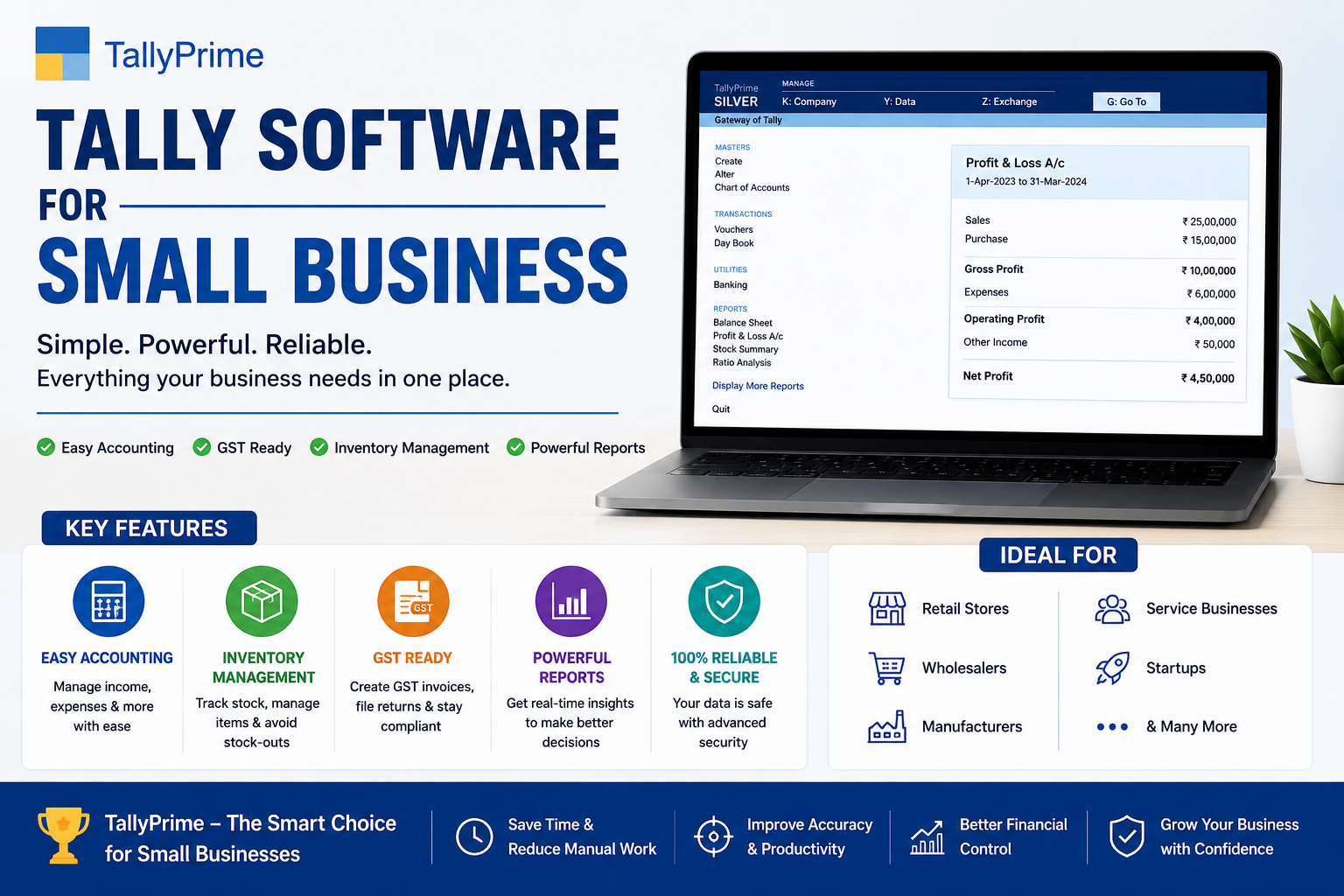
Best Accounting Systems for Small Businesses in India (2026 Guide)
Running a small business requires more than just selling products or services. Business owners must manage invoices, inventory, GST compliance, payroll, banking, taxation, and financial reporting. Without the right accounting system, these tasks can become overwhelming and increase the risk of costly errors.
Modern accounting software simplifies financial management by automating routine tasks, providing real-time business insights, and helping businesses stay compliant with tax regulations.
In this guide, we'll explore the different types of accounting systems available for small businesses, the essential features to look for, and why TallyPrime continues to be one of India's most trusted accounting solutions.
Why Small Businesses Need an Accounting System
Many startups begin by maintaining records in Excel spreadsheets or notebooks. While this may work initially, it becomes difficult to manage as the business grows. A professional accounting system helps businesses:
- ✓Manage Daily Transactions — Accurately track all sales, purchases, and payments in real-time.
- ✓Generate GST-Compliant Invoices — Create invoices that meet GST requirements with automatic tax calculations.
- ✓Track Income & Expenses — Monitor revenue and costs to understand profitability.
- ✓Maintain Inventory Records — Track stock levels, purchases, and sales in real-time.
- ✓Monitor Cash Flow — Get visibility into available funds and payment schedules.
- ✓File GST Returns Efficiently — Automated GST return preparation with data validation.
- ✓Generate Financial Reports Instantly — Access Profit & Loss, Balance Sheets, and other reports anytime.
- ✓Reduce Manual Errors — Minimize accounting mistakes through automation and validation.
Types of Accounting Systems for Small Businesses
Different businesses have different accounting needs. Choosing the right software depends on your business size, industry, and operational requirements.
1. Cloud-Based Accounting Software
Cloud accounting software stores your financial data securely online, accessible from anywhere with an internet connection.
- Access from anywhere — work from office, home, or on-the-go
- Automatic backups — data is protected against loss
- Multi-user collaboration — team members can work simultaneously
- Real-time updates — everyone sees current data
- Easy software upgrades — no manual installation required
Ideal for: Businesses with remote teams or multiple branches needing collaborative access.
2. Desktop Accounting Software
Desktop accounting software is installed directly on your computer for local management.
- Faster performance — no dependence on internet speed
- Works without internet — continue working during connectivity issues
- Greater control over data — stored locally on your computers
- Suitable for offline scenarios — manufacturing floors, warehouses
- Preferred by Indian businesses — reliability and security advantage
Ideal for: Manufacturing units, trading companies, and businesses preferring local control and offline capability.
3. ERP-Based Accounting Systems
ERP systems combine accounting with inventory, manufacturing, CRM, payroll, procurement, and HR in a unified platform.
- Unified platform — all business functions in one system
- Better data integration — seamless information flow
- Comprehensive reporting — organization-wide dashboards
- Scalability — grows with your business
- Improved compliance — centralized audit trails
Best for: Manufacturing companies, large distributors, multi-location businesses, and growing enterprises.
4. Industry-Specific Accounting Software
Certain industries require specialized accounting features tailored to their operations:
- Retail — POS integration, inventory tracking, customer management
- Construction — Project costing, progress billing, material tracking
- Healthcare — Patient billing, insurance claims, compliance requirements
- Educational Institutions — Fee management, staff payroll, asset tracking
- Hospitality — Guest billing, F&B costing, occupancy management
- Manufacturing — Production costing, material management, quality tracking
- Wholesale Distribution — Multi-warehouse tracking, distributor management
Industry-specific software often includes customized reports and workflows optimized for your business type.
5. GST Accounting Software
Indian businesses must use GST-compliant accounting software. Important GST features include:
- GST invoice generation
- E-Invoicing support (IRN)
- E-Way Bill generation
- GST return preparation
- HSN/SAC management
- Tax calculations & reconciliation
- Avoid GST penalties
- Ensure regulatory compliance
- Reduce filing errors
- Simplify tax audits
- Improve business credibility
- Enable seamless filing
Essential Features Every Accounting System Should Have
Before investing in accounting software, ensure it offers these critical features:
Easy Accounting
The software should simplify bookkeeping without requiring advanced accounting knowledge. User-friendly interfaces make adoption faster.
GST Compliance
Support for GST invoicing, reports, tax calculations, return filing, and E-Invoice generation ensuring regulatory compliance.
Inventory Management
Track stock levels, monitor product movement, reduce shortages, and prevent overstocking through real-time inventory tracking.
Professional Invoicing
Create branded invoices, share via email or WhatsApp, generate recurring invoices, and maintain detailed records.
Banking Integration
Reconcile transactions, import bank statements, track payments, and monitor cash flow with automatic reconciliation.
Financial Reports
Generate Profit & Loss, Balance Sheet, Cash Flow, Trial Balance, and outstanding reports for informed decision-making.
Multi-User Access
Role-based access control for accountants, sales teams, managers, and business owners with data security.
Data Security
User permissions, data backup, audit trails, secure storage, and password protection for sensitive financial data.
Why TallyPrime Is the Preferred Accounting Software
TallyPrime has become one of the most trusted accounting solutions for Indian businesses due to its simplicity and comprehensive features. Trusted by over 40 lakh businesses across India.
Simple & Intuitive User Interface
TallyPrime offers an intuitive interface that enables users to complete tasks quickly without extensive training. New users can master basic operations within days.
Complete Business Management
Beyond accounting, TallyPrime includes:
- Inventory management with multi-warehouse support
- GST compliance with automated return generation
- Payroll management with salary processing
- Banking features for payment and reconciliation
- Cost centers for departmental profitability analysis
- Financial reporting with comparative analysis
Everything is available within a single platform, eliminating the need for multiple software licenses.
GST Ready & Compliant
TallyPrime supports:
Advanced Inventory Management
Efficiently manage:
- Stock items and product variants
- Multiple warehouses with branch transfers
- Batch tracking for expiry management
- Manufacturing processes and recipe management
- Automatic reorder level notifications
Comprehensive Financial Reports
Generate reports instantly, including:
- Profit & Loss Statement with departmental breakdown
- Balance Sheet with comparative figures
- Sales & Purchase Register with GST details
- Stock Summary with valuation methods
- Cash Flow Statement
- Outstanding Reports (receivables and payables)
Scalability for Business Growth
Whether you're a startup or a growing enterprise, TallyPrime scales with your business. Start with basic accounting and gradually add inventory, payroll, and multi-location management.
Which Businesses Should Use TallyPrime?
TallyPrime is ideal for:
- Retail stores & chains
- Wholesalers & distributors
- Manufacturing units
- Trading companies
- Service providers
- Startups & SMEs
- Chartered Accountants
- Educational institutions
- Construction companies
- Healthcare businesses
- NGOs & Associations
- Accounting firms
How to Choose the Right Accounting Software
Before purchasing accounting software, consider these important factors:
1. Business Size & Growth
Choose software that matches your current business needs while supporting future growth. Avoid oversized solutions that are complex for your current stage.
2. Budget & ROI
Compare licensing costs, renewal fees, and long-term value rather than focusing only on initial price. Consider the time saved and errors prevented as ROI.
3. Ease of Use
Software should be simple enough for your team to learn quickly. Look for intuitive interfaces and comprehensive training resources.
4. Customer Support Quality
Reliable support ensures minimal downtime and quick issue resolution. Check support availability, response times, and customer reviews.
5. Regulatory Compliance
Ensure the software supports Indian GST regulations and receives regular updates for tax law changes.
6. Reporting Capabilities
Strong reporting features help business owners monitor performance and make informed decisions. Look for customizable and export-friendly reports.
7. System Integration
Select software that integrates with banking, payment systems, and other business applications you currently use.
Benefits of Using Professional Accounting Software
Businesses benefit significantly from modern accounting systems:
Faster Processing
Complete accounting tasks in hours instead of days with automated calculations and report generation.
Better Accuracy
Eliminate manual errors through automation, validation, and built-in formula checks.
Real-Time Insights
Access current financial data anytime to monitor business performance and cash flow.
Regulatory Compliance
Stay compliant with GST, TDS, income tax, and other regulations through automated features.
Easy Audits
Maintain complete audit trails and supporting documentation for smooth audits.
Informed Decisions
Generate comprehensive reports to support strategic business decisions and forecasting.
Implementation Best Practices
To successfully implement accounting software and maximize its benefits:
- 1Start with Data Cleanup — Ensure your existing financial records are accurate before migration.
- 2Plan Proper Training — Invest time in training your team on the new software and workflows.
- 3Configure Correctly — Set up chart of accounts, tax rates, and ledger groups accurately from day one.
- 4Run Parallel Systems — Run both old and new systems during transition to catch discrepancies.
- 5Create Backup Strategy — Establish regular backup procedures to protect your financial data.
- 6Document Procedures — Create documentation for common tasks and workflows specific to your business.
- 7Get Expert Support — Consider hiring consultants for complex setup and data migration tasks.
Best Practices for Accounting Success
Maximize your accounting software benefits by following these practices:
- Record all transactions on the same day
- Reconcile cash and bank accounts daily
- Review pending invoices and payments
- Monitor inventory for low stock alerts
- Complete bank reconciliation
- Reconcile GST records with GST portal
- Review financial statements for anomalies
- Process monthly depreciation entries
- Verify inventory counts with system records
- Complete physical inventory verification
- Record all adjusting entries
- Reconcile all ledger accounts
- Generate final financial statements
- Backup your complete year-end data
- File GST annual returns if applicable
Frequently Asked Questions
Which accounting software is best for small businesses in India?
TallyPrime is one of the most popular and trusted accounting software solutions for Indian small businesses. It offers GST compliance, inventory management, payroll, and comprehensive reporting features specifically designed for Indian business requirements.
Can accounting software help with GST compliance?
Yes. Modern accounting software like TallyPrime fully supports GST operations including invoice generation, GST calculations, automated return preparation (GSTR-1, GSTR-3B), E-Invoicing, and E-Way Bill generation.
Is cloud accounting better than desktop accounting?
Both have advantages. Cloud accounting is ideal for businesses needing remote access and multi-user collaboration, while desktop accounting offers greater local control and performs well without continuous internet connectivity. Choose based on your business needs.
How much does accounting software cost?
Costs vary widely based on features and software type. Basic accounting software starts from ₹5,000-10,000 annually, while comprehensive solutions like TallyPrime range from ₹8,000-30,000 per year depending on the edition and features.
Can I migrate my existing data to new accounting software?
Yes. Most modern accounting software supports data migration from Excel, other accounting systems, or manual records. Professional implementation services can help ensure accurate and complete data transfer.
How long does it take to implement accounting software?
Implementation typically takes 2-4 weeks depending on business complexity, data volume, and team readiness. Proper planning, training, and expert support can accelerate the implementation process.
Do I need accounting knowledge to use accounting software?
No. Modern accounting software is designed for non-accountants. While basic understanding of accounting concepts helps, most software provides intuitive interfaces and comprehensive training for business users.
Find Your Perfect Accounting Solution
Get expert guidance to select the ideal accounting software for your business needs and industry.
Expert Assessment
Analyze your business requirements and accounting needs
Personalized Recommendation
Receive tailored software suggestions based on your business type
Implementation Support
Get guidance on setup, data migration, and team training
No Obligations
Free consultation with no hidden charges or commitments
Conclusion
Choosing the right accounting system is an important investment for any small business. A powerful accounting solution improves accuracy, simplifies GST compliance, enhances inventory management, and provides valuable financial insights that drive growth.
For Indian businesses seeking a reliable, scalable, and feature-rich solution, TallyPrime remains one of the best choices. With the right implementation and support, it can streamline daily operations and support long-term business growth.
Why Buy TallyPrime from Tally Software Shop?
At Tally Software Shop, we offer more than just software licenses. We provide complete business solutions, including:
Complete TallyPrime Solutions
Genuine TallyPrime licenses, Silver & Gold editions, renewals, installation, and setup support.
Expert Support & Training
Data migration, remote support, AMC services, customization, and dedicated employee training.
Explore More Resources
TallyPrime Pricing & Editions 2026
Compare TallyPrime Silver, Gold, and Edition features with detailed pricing information.
✓ ComplianceMastering GST Compliance in TallyPrime
Complete guide to GST invoicing, returns, and compliance in TallyPrime.
📦 CustomizationTally Prime Customization
Complete setup with tally customization