
Excel to TallyPrime Migration Guide for Growing Businesses
 Managing business accounts using Microsoft Excel is extremely common among startups, retailers, wholesalers, and small businesses across India. Excel is affordable, flexible, and easy to understand, making it one of the first tools businesses use for maintaining invoices, inventory records, customer databases, GST calculations, and financial reports.
During the initial stages of business growth, spreadsheets work reasonably well because transaction volumes are limited and operations remain manageable. Business owners can easily create sales sheets, maintain expense records, and calculate profits manually using formulas and templates.
However, as businesses grow, manual spreadsheet management slowly becomes inefficient and risky. Accounting teams begin spending more time correcting formula errors, updating inventory records, reconciling GST reports, and verifying financial statements. The bigger the business becomes, the more difficult it gets to manage accounting operations through spreadsheets alone.
This is where TallyPrime becomes a powerful business solution. TallyPrime is designed specifically for accounting, inventory management, GST compliance, reporting, invoicing, payroll, and business automation. It helps businesses reduce manual work, improve financial accuracy, automate GST management, and generate real-time reports instantly.
If your business still depends heavily on Excel for accounting and inventory management, migrating to TallyPrime can significantly improve productivity, operational efficiency, and financial visibility. In this detailed guide, we will explain why businesses move from Excel to TallyPrime, the benefits of migration, common business challenges, and the complete migration process.
Why Most Businesses Start with Excel
Excel is one of the most accessible business tools available today. Most business owners are already familiar with spreadsheets, which makes Excel the preferred choice for startups and small businesses during the early stages of operations.
Businesses commonly use Excel for:
- Sales tracking
- Expense management
- Customer records
- Vendor management
- Inventory tracking
- GST calculations
- Profit & Loss statements
- Daily transaction management
Excel provides flexibility and low operational cost, which is why many entrepreneurs initially avoid investing in professional accounting software. Since spreadsheet templates are easily available online, businesses can quickly start managing records without technical expertise.
For businesses with fewer transactions and smaller teams, Excel can work effectively. But as operations expand, spreadsheet dependency starts creating operational bottlenecks and financial risks.
Common Problems Businesses Face with Excel
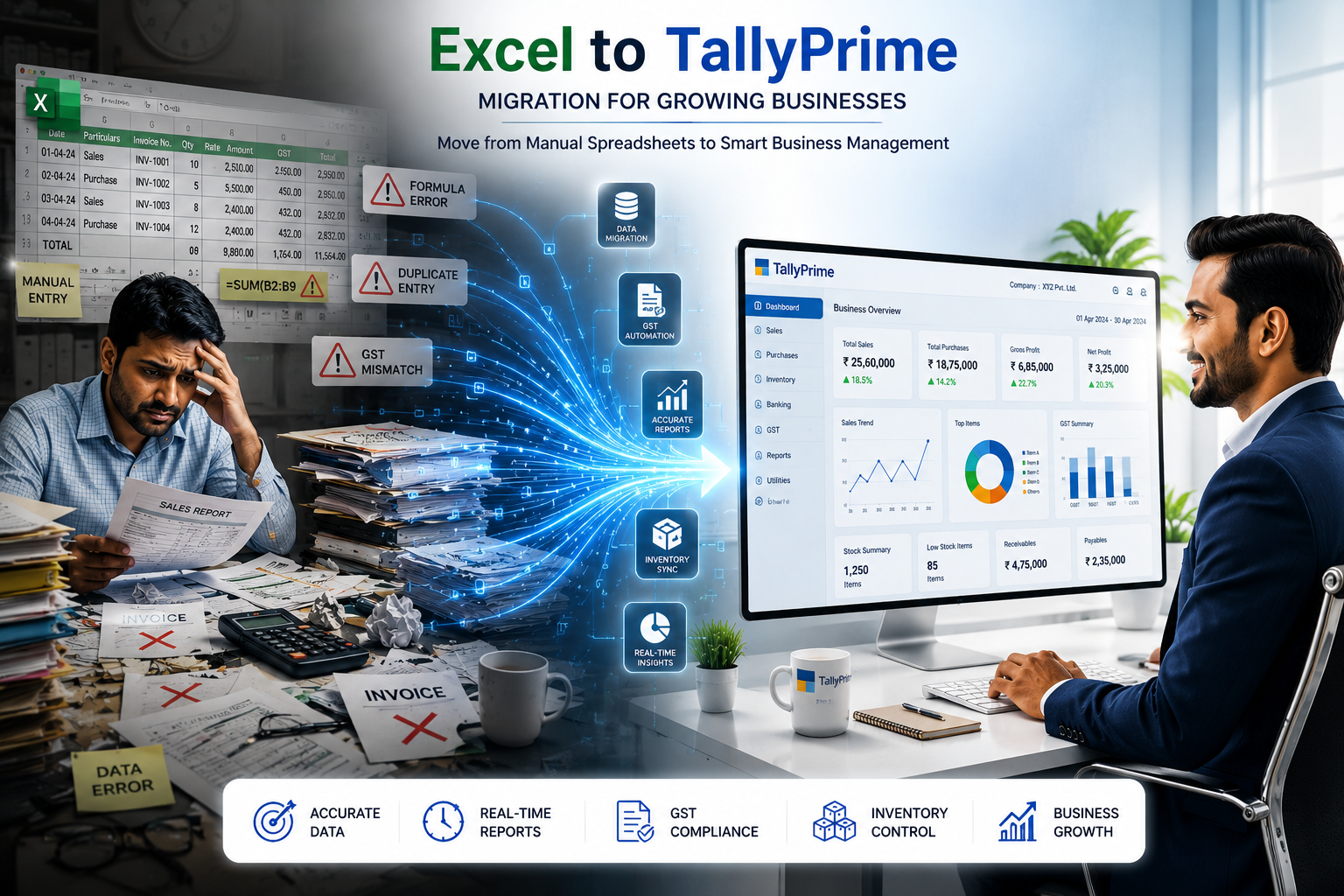
1. Formula Errors and Financial Mistakes
One of the biggest disadvantages of Excel is formula dependency. A small accidental change in a formula can affect the entire workbook and generate inaccurate financial reports. Businesses often struggle with:
- Broken formulas
- Wrong totals
- Duplicate entries
- Incorrect GST calculations
- Missing invoice records
- Accidental data deletion
In many businesses, accounting teams spend hours identifying spreadsheet mistakes and correcting financial reports manually. These issues not only waste valuable time but also affect business decisions and compliance reporting.
2. Manual GST Management Becomes Difficult
Managing GST manually through spreadsheets becomes increasingly complicated as transaction volume grows. GST compliance requires accurate calculations, invoice formatting, tax summaries, and timely filing. Manual spreadsheet handling increases the possibility of filing errors and reconciliation issues.
Businesses commonly face:
- Wrong GST percentages
- Tax mismatches
- Filing delays
- Incorrect invoice formatting
- Manual reconciliation workload
- Compliance-related confusion
Since GST regulations change frequently, businesses also struggle to update formulas and tax calculations manually inside Excel sheets.
3. Lack of Real-Time Financial Visibility
Excel does not provide real-time reporting. Financial reports must be generated manually using formulas, pivot tables, and validation processes. This slows decision-making and reduces operational efficiency.
Businesses often perform:
- Manual calculations
- Cross-sheet verification
- Copy-paste operations
- Data reconciliation
- Report adjustments
As a result, reports quickly become outdated, reducing visibility into business performance, cash flow, inventory status, and profitability.
4. Inventory Management Problems
Managing inventory through spreadsheets becomes unreliable once businesses begin handling multiple products, warehouses, or branch locations. Spreadsheet-based inventory tracking often creates:
- Stock mismatches
- Inventory shortages
- Duplicate records
- Delayed updates
- Warehouse confusion
- Manual counting errors
Businesses dealing with retail, wholesale, manufacturing, or distribution require automated inventory systems with real-time tracking and reporting capabilities.
What Is Excel to TallyPrime Migration?
Excel to TallyPrime migration refers to transferring accounting, inventory, customer, GST, vendor, and financial records from spreadsheets into TallyPrime software.
Instead of maintaining disconnected spreadsheets, businesses can centralize all accounting operations inside one professional accounting system. Migration helps businesses automate operations, improve compliance, and generate instant financial reports.
The migration process generally includes:
- Importing customer records
- Importing inventory data
- Importing ledger accounts
- Importing invoices and transactions
- Configuring GST settings
- Verifying opening balances
Benefits of Switching to TallyPrime
Automated Accounting
TallyPrime automates accounting activities and significantly reduces manual work. Once transactions are entered:
- Ledger balances update automatically
- GST calculations happen instantly
- Inventory adjusts automatically
- Financial reports refresh in real time
This improves accounting speed, reduces human error, and increases overall efficiency.
Simplified GST Compliance
TallyPrime includes built-in GST management features that help businesses generate GST invoices, prepare tax reports, calculate taxes automatically, and simplify filing processes.
Businesses can generate:
- GST summaries
- Tax reports
- GSTR reports
- E-invoices
- Compliance reports
Real-Time Reporting
Unlike Excel, TallyPrime provides instant access to live financial reports such as:
- Profit & Loss Statements
- Balance Sheets
- Cash Flow Reports
- Outstanding Receivables
- Inventory Summaries
- GST Reports
Since reports update automatically whenever transactions are entered, business owners gain real-time financial visibility and faster decision-making capability.
Advanced Inventory Management
TallyPrime supports advanced inventory features including:
- Multi-location inventory tracking
- Warehouse management
- Batch management
- Expiry tracking
- Low-stock alerts
- Stock valuation reports
This helps businesses maintain accurate stock records and reduce inventory losses.
Improved Data Security
Spreadsheet files can easily be edited, deleted, or corrupted accidentally. TallyPrime offers better security features including:
- User access control
- Password protection
- Secure backups
- Audit trails
- Data recovery options
These features help businesses protect sensitive financial data more effectively.
Step-by-Step Excel to TallyPrime Migration Process
Step 1: Clean Existing Data
Before migration, businesses should remove duplicate records, verify GST numbers, correct ledger names, and match inventory quantities to ensure smooth data transfer.
Step 2: Download TallyPrime Import Templates
TallyPrime provides Excel import templates for customers, vendors, products, invoices, and purchase records. These templates simplify data migration and reduce import errors.
Step 3: Import Master Data
Businesses should first import customer lists, vendor details, inventory items, and ledger accounts to establish the accounting structure.
Step 4: Import Transactions
After master data setup, businesses can import sales invoices, purchase transactions, opening balances, and GST records into TallyPrime.
Step 5: Verify Reports and Correct Errors
TallyPrime automatically identifies invalid GST numbers, duplicate entries, incorrect voucher formats, and missing ledgers. Businesses should verify reports carefully after migration.
Final Thoughts
Excel works well during the early stages of business growth, but manual accounting eventually creates inefficiencies that slow operations. Formula errors, GST complications, inventory mismatches, and delayed reporting become difficult to manage as transaction volumes increase.
Migrating to TallyPrime helps businesses automate accounting, simplify compliance, improve inventory management, and generate real-time financial insights. It reduces manual workload while improving financial accuracy and operational control.
For growing businesses, switching from Excel to TallyPrime is not just a software upgrade — it is a smarter approach to long-term business growth, scalability, and operational efficiency.
Need Help with Excel to TallyPrime Migration?
Isaral Business Solutions helps businesses across India with TallyPrime implementation, Excel to TallyPrime migration, GST setup, inventory management configuration, training, and ongoing support.
Visit TallySoftware.Shop →